
About Fruit Jar Pop
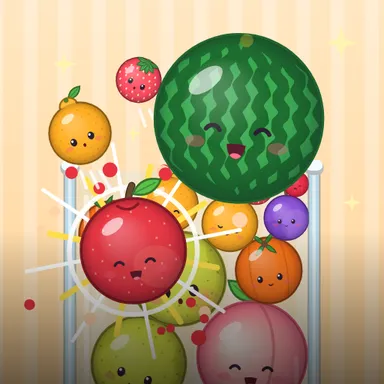
Fruit Jar Pop is a cosy physics puzzle set on a sunny kitchen counter. A fluffy little cloud floats above a big glass jar and hands you one fruit at a time. Slide it left or right, let go, and watch it tumble in, bump its neighbours and roll into place. When two identical fruits touch they squish together with a juicy splash and become the next, bigger fruit: cherries grow into strawberries, grapes, oranges and apples, all the way up to pears, peaches, pineapples, melons and finally the mighty watermelon. Every fruit has a tiny face that blinks while it waits, winces when something heavy lands on it and beams when a merge happens next door. Chain several merges in quick succession for a combo multiplier and a rising, sparkling sound. The catch is space. Big fruits need room, and a careless drop can leave an awkward gap. If anything rests above the dashed line near the rim for more than a couple of seconds, the jar overflows and the run ends. Keep an eye on the next-fruit bubble, plan where the big ones will settle and see how far up the evolution ring you can climb. Two watermelons meeting is the ultimate jackpot.
How to play
Move the mouse or drag to aim, release or click to drop (arrow keys + Space also work). Match two identical fruits to merge them. Don't let fruit rest above the dashed line.
Controls
| Mouse←→ | Aim |
| Click / TapSpace | Drop |
📺 Play on a TV or projector
- Laptop or PC: connect it to the TV or projector with an HDMI cable (or cast the Chrome tab / mirror your screen), then press the fullscreen button.
- Android TV, Google TV or a TV box: open this site in a browser app on the TV (any Chromium-based TV browser works) and pick a game with the remote's arrows and OK.
- Gamepad: pair a Bluetooth controller (Xbox, PlayStation or a generic one) or plug in a USB one. Stick or D-pad moves, Ⓐ/✕ jumps and selects, Start pauses, View/Select switches fullscreen. In point-and-click games the right stick moves a pointer and RT clicks.
- Phone or tablet: mirror or cast your screen to the TV, or open the site in the TV's own browser.
Difficulty: ★★☆☆☆ · Released: 2026-10-06