
About Kitty Pile Party
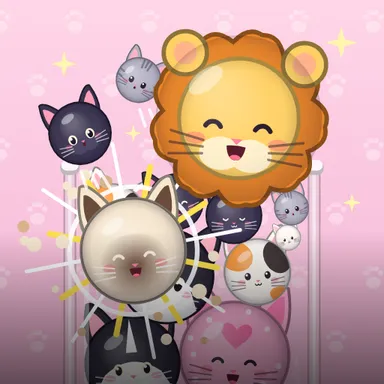
Kitty Pile Party fills a glass jar in a pink, paw-printed living room with round, squishy cats. A tiny white kitten turns into a grey tabby when two of them snuggle, then a ginger, a midnight black cat, a calico, a siamese, a tuxedo, a bubblegum fantasy kitty, a blue shorthair, a striped tiger and finally a proud lion with a fluffy mane. Every ball of fur has whiskers, a pink nose and big eyes that blink, wince and grin as the pile shifts. What makes this jar special are the helper buttons beside it. A bomb lets you tap one awkward cat and pop it out of the way. A shake jolts the whole jar so stuck neighbours finally roll together. A grow button upgrades any single cat to the next breed, which can set off a lovely chain reaction. You start with one of each and earn more by merging; the yellow bar shows how close the next reward is. Use them wisely, because the dashed line near the rim still decides when the party is over. Can you raise a lion before the jar overflows?
How to play
Drag or move the mouse to aim, release to drop. Merge matching cats. Tap Bomb then a cat to pop it, Shake to jolt the jar, Grow then a cat to upgrade it (keys 1, 2, 3). Keep cats below the dashed line.
Controls
| Mouse←→ | Aim |
| Click / TapSpace | Drop |
📺 Play on a TV or projector
- Laptop or PC: connect it to the TV or projector with an HDMI cable (or cast the Chrome tab / mirror your screen), then press the fullscreen button.
- Android TV, Google TV or a TV box: open this site in a browser app on the TV (any Chromium-based TV browser works) and pick a game with the remote's arrows and OK.
- Gamepad: pair a Bluetooth controller (Xbox, PlayStation or a generic one) or plug in a USB one. Stick or D-pad moves, Ⓐ/✕ jumps and selects, Start pauses, View/Select switches fullscreen. In point-and-click games the right stick moves a pointer and RT clicks.
- Phone or tablet: mirror or cast your screen to the TV, or open the site in the TV's own browser.
Difficulty: ★★☆☆☆ · Released: 2026-10-06