
About Pour the Glass
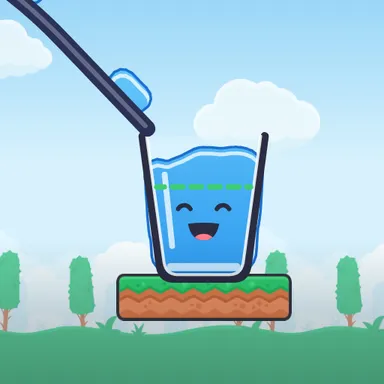
Pour the Glass is a gentle physics brain teaser set in a sunny meadow full of rolling hills and fluffy trees. A chubby little glass with big googly eyes waits on a grassy ledge, and a shiny tap sits somewhere above it, ready to gush. The catch: the water never lands where it is needed. Grab your pencil and draw a single line before the tap opens. The moment you lift your finger the line turns into a real, solid object that drops, tips and leans on whatever it touches, so a well placed ramp, gutter or funnel steers the stream straight into the glass. Fill it up to the dashed line and the glass grins from ear to ear; let the water splash away and it bursts into tears. Ink is limited and the meter at the top shows three stars that disappear as you scribble, so the shortest clever solution earns the best score. Across forty hand-built levels you will meet twin taps, pairs of thirsty glasses, wooden crates that get knocked about, tilted ledges and red zones where the pencil refuses to work. Stuck? Tap the light bulb to see a dotted hint of one working answer.
How to play
Drag to draw one line before the water flows; lift to let it drop. Guide the water into the glass up to the dashed line. Less ink = more stars. Bulb = hint, arrow = restart (R).
Controls
| Drag | Draw |
| R | Restart |
📺 Play on a TV or projector
- Laptop or PC: connect it to the TV or projector with an HDMI cable (or cast the Chrome tab / mirror your screen), then press the fullscreen button.
- Android TV, Google TV or a TV box: open this site in a browser app on the TV (any Chromium-based TV browser works) and pick a game with the remote's arrows and OK.
- Gamepad: pair a Bluetooth controller (Xbox, PlayStation or a generic one) or plug in a USB one. Stick or D-pad moves, Ⓐ/✕ jumps and selects, Start pauses, View/Select switches fullscreen. In point-and-click games the right stick moves a pointer and RT clicks.
- Phone or tablet: mirror or cast your screen to the TV, or open the site in the TV's own browser.
Difficulty: ★★☆☆☆ · Released: 2026-10-07