
About Brick Bloom
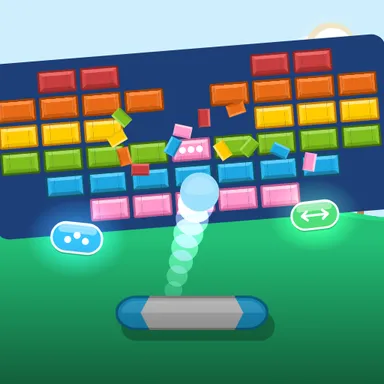
Brick Bloom is a bright, bouncy brick breaker with forty-five hand-built walls to smash on a sunny meadow. Slide the paddle under the ball, watch it ricochet into rows of glossy candy-coloured bricks, and keep the rally alive — the closer to the edge of the paddle the ball lands, the steeper it flies, so a good player can pick off that last stubborn brick in a corner. Tough bricks need two or three hits and crack as you wear them down, grey steel blocks never break, and special bricks shake things up: a bomb brick blows up everything around it, a ball brick splits your ball into three, and a star brick always drops a capsule. Catch capsules for a wider paddle, twin lasers, slow motion, multiball or an extra life, but dodge the red ones that shrink your paddle or speed the ball up. Break bricks quickly one after another to build a combo that multiplies your points. The first walls are simple warm-ups based on the classic arcade layouts, later ones add hearts, castles, vaults and bomb chains. The last twenty walls are a tougher siege of steel battlements, five-hit stone and chained bombs, where every shot has to find the gap. Clear a wall without dropping a ball to earn all three stars.
How to play
Move the mouse, drag your finger or use the arrow keys to slide the paddle. Click, tap or press Space to launch the ball along the swinging arrow. Catch good capsules, avoid the red ones, and break every brick except steel to clear the wall.
Controls
| MouseDrag | Move |
| ←→ | Move |
| Click / TapSpace | Serve |
📺 Play on a TV or projector
- Laptop or PC: connect it to the TV or projector with an HDMI cable (or cast the Chrome tab / mirror your screen), then press the fullscreen button.
- Android TV, Google TV or a TV box: open this site in a browser app on the TV (any Chromium-based TV browser works) and pick a game with the remote's arrows and OK.
- Gamepad: pair a Bluetooth controller (Xbox, PlayStation or a generic one) or plug in a USB one. Stick or D-pad moves, Ⓐ/✕ jumps and selects, Start pauses, View/Select switches fullscreen. In point-and-click games the right stick moves a pointer and RT clicks.
- Phone or tablet: mirror or cast your screen to the TV, or open the site in the TV's own browser.
Difficulty: ★★☆☆☆ · Released: 2026-10-08