
About Carrot Sky Hop
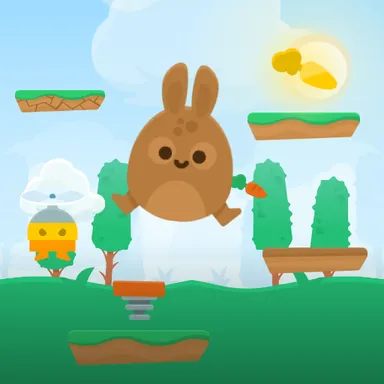
Carrot Sky Hop is an endless climbing game starring a cheerful brown bunny who never stops bouncing. Every time the bunny lands on a grassy ledge it springs upward on its own, so all you do is steer left and right to choose the next landing spot. Leave the screen on one side and you pop back in on the other, a handy trick for reaching ledges that look out of range. The meadow drops away beneath you as the sky turns from morning blue to deep twilight and finally to a starry space full of planets. Wooden ledges slide sideways, cracked ones crumble after a single hop, fluffy clouds puff away, and coiled springs fling you several screens higher in one go. Grab a jetpack or a pair of wings to rocket upward and smash through anything in your path. Once you pass a hundred metres, flying critters start hovering between the ledges: land on their heads to bop them, or throw carrots straight up to clear the way, but never brush against one from the side. Orange carrots float along the climb for bonus points, a dashed ribbon marks your personal best, and every hundred metres earns a cheer. Miss a ledge and you tumble out of the bottom of the screen, so keep your eyes up and see how high you can go.
How to play
Steer with ← → (or hold the on-screen pads, or tilt your phone). The bunny bounces by itself. Press Space or click to throw a carrot upward, and land on critters from above to bop them.
Controls
| ←→ | Steer |
| Space | Shoot |
📺 Play on a TV or projector
- Laptop or PC: connect it to the TV or projector with an HDMI cable (or cast the Chrome tab / mirror your screen), then press the fullscreen button.
- Android TV, Google TV or a TV box: open this site in a browser app on the TV (any Chromium-based TV browser works) and pick a game with the remote's arrows and OK.
- Gamepad: pair a Bluetooth controller (Xbox, PlayStation or a generic one) or plug in a USB one. Stick or D-pad moves, Ⓐ/✕ jumps and selects, Start pauses, View/Select switches fullscreen. In point-and-click games the right stick moves a pointer and RT clicks.
- Phone or tablet: mirror or cast your screen to the TV, or open the site in the TV's own browser.
Difficulty: ★★☆☆☆ · Released: 2026-10-08