
About Bounce Frenzy
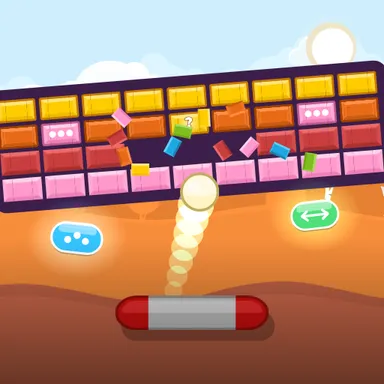
Three balls at once, a ninety-second clock and an autumn forest full of bricks: Bounce Frenzy is the brick breaker turned into a joyful score attack. Every serve launches a spread of three balls, capsules rain down twice as often as usual, and multiball brick explosions can fill the board with bouncing chaos in seconds. There are no lives to lose here — dropping all your balls just costs five seconds before you serve again — so you can play boldly, chase combos and dive for every capsule. Clear a wall and the next layout slides in with fifteen extra seconds on the clock; extra-life capsules turn into ten bonus seconds. Bomb bricks blow up their neighbours for quick points, star bricks always drop a capsule, and the combo multiplier rewards breaking bricks in rapid streaks, so the more balls you keep in play the faster your score climbs. With a wide, friendly paddle and a gentle ball speed it is a great pick for younger players, but beating your best score takes real paddle work and smart capsule choices. How many walls can you clear before the timer runs out?
How to play
Slide the paddle with the mouse, your finger or the arrow keys, and click, tap or press Space to launch three balls. Losing every ball costs five seconds; clearing a wall adds fifteen. Score as much as you can before time runs out.
Controls
| MouseDrag | Move |
| ←→ | Move |
| Click / TapSpace | Serve |
📺 Play on a TV or projector
- Laptop or PC: connect it to the TV or projector with an HDMI cable (or cast the Chrome tab / mirror your screen), then press the fullscreen button.
- Android TV, Google TV or a TV box: open this site in a browser app on the TV (any Chromium-based TV browser works) and pick a game with the remote's arrows and OK.
- Gamepad: pair a Bluetooth controller (Xbox, PlayStation or a generic one) or plug in a USB one. Stick or D-pad moves, Ⓐ/✕ jumps and selects, Start pauses, View/Select switches fullscreen. In point-and-click games the right stick moves a pointer and RT clicks.
- Phone or tablet: mirror or cast your screen to the TV, or open the site in the TV's own browser.
Difficulty: ★☆☆☆☆ · Released: 2026-10-08