
About Home Run Fireworks
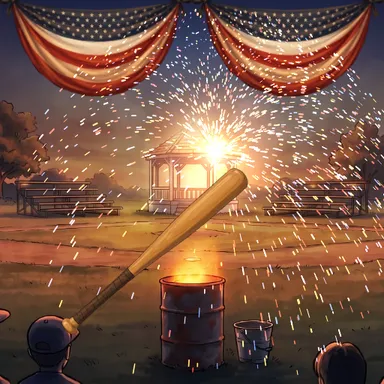
Home Run Fireworks is batting practice with lit firework shells, played with your hands on the Fourth of July. The whole town is out at the ballfield at dusk: lawn chairs, coolers, the brass band warming up by the gazebo. Sit down next to a friend in front of one camera. The hand on the left wears the mitt: lower it to grab a shell, then flick up to toss it into the night, higher the harder you flick. The hand on the right has the bat: swing through the shell and it bursts into a shower of red, white and blue sparks, sprayed the way you swung. A ring closes on the top of the toss. Connect right there and it's going, going, gone, with the crack of the bat and a crash from the band. Sparks set off whatever they touch on the big wooden frame: strings of firecrackers pop, tin stars light up, fuses carry the fire along and rockets jump the gaps, each one a note higher than the last. String perfect hits together and the whole band joins in. Light it all up before the shells run out. Eight rounds go from one big string hung low to an awning you have to swing around, a turning pinwheel, a wind that carries your sparks, and a grand finale. Switch hands every round, and when a shell lands in the grass, you can argue about whose fault it was. On your own, Coach tosses on the beat and you just swing. Or go head to head on the same frame. No camera? A mouse or a finger works too. The camera picture never leaves your device.
How to play
Choose With our hands and sit side by side, one hand each in view. The left hand tosses: hold it low to grab a shell, then flick up; harder goes higher. The right hand swings: swing through the shell, toward what you want to light, best just as the ring closes on it. Sparks light the frame; light it all before the shells run out. Switch every round. One hand alone does both, tossing and then swinging. Mouse or touch: flick up to toss, swipe through the shell to swing. Keys: Space tosses and swings, arrows pick the spot.
Controls
| Click / Tap | Throw |
| Click / Tap | Hit |
| Space | Hit |
📺 Play on a TV or projector
- Laptop or PC: connect it to the TV or projector with an HDMI cable (or cast the Chrome tab / mirror your screen), then press the fullscreen button.
- Android TV, Google TV or a TV box: open this site in a browser app on the TV (any Chromium-based TV browser works) and pick a game with the remote's arrows and OK.
- Gamepad: pair a Bluetooth controller (Xbox, PlayStation or a generic one) or plug in a USB one. Stick or D-pad moves, Ⓐ/✕ jumps and selects, Start pauses, View/Select switches fullscreen. In point-and-click games the right stick moves a pointer and RT clicks.
- Phone or tablet: mirror or cast your screen to the TV, or open the site in the TV's own browser.
Difficulty: ★★☆☆☆ · Released: 2026-11-05