
About Lantern Abyss Fishing
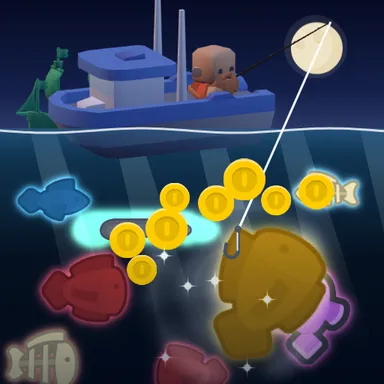
The moon is up, the old trawler's lamp is lit, and tonight you fish where sunlight never reaches. Lantern Abyss Fishing drops your hook into black water where the only light is the lantern glowing around the lure and the eerie shine of the creatures themselves. Lanternfish twinkle blue, viperfish flicker pink and skeletal ghost fins drift like smoke, so you read the deep by its glow. Rusty sea mines from an old war hang on long chains in the dark. Touch one on the way down and the blast sends your hook straight back with nothing; hit one while reeling and half the catch is blown away, so keep an eye on the faint metal shapes at the edge of your light. A fourth upgrade card lets you grow the lantern, widening the circle of sea you can see, next to the usual longer line, bigger catch and offline earnings. Everything you haul up is flung into the starry sky, and tapping it pays out in coins, with combos for quick fingers and golden rarities that slow the world down. The real prizes, dragonbones and abyss rubies, hide past two hundred metres, near treasure lying on the trench floor.
How to play
Tap to cast, steer with the mouse, a finger or ←/→. Only your lantern lights the sea: dodge glowing fish and chained mines going down, collect fish coming up, then tap the catch in the air. Upgrade the lantern to see further.
Controls
| Click / Tap | Tap |
| MouseArrow keys | Steer |
| Space | Tap |
📺 Play on a TV or projector
- Laptop or PC: connect it to the TV or projector with an HDMI cable (or cast the Chrome tab / mirror your screen), then press the fullscreen button.
- Android TV, Google TV or a TV box: open this site in a browser app on the TV (any Chromium-based TV browser works) and pick a game with the remote's arrows and OK.
- Gamepad: pair a Bluetooth controller (Xbox, PlayStation or a generic one) or plug in a USB one. Stick or D-pad moves, Ⓐ/✕ jumps and selects, Start pauses, View/Select switches fullscreen. In point-and-click games the right stick moves a pointer and RT clicks.
- Phone or tablet: mirror or cast your screen to the TV, or open the site in the TV's own browser.
Difficulty: ★★★☆☆ · Released: 2026-10-07