
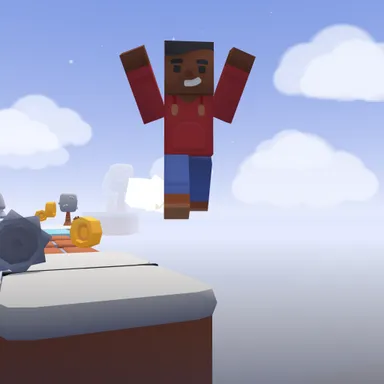
About Frostbite Parkour
Frostbite Parkour takes the obby formula up into a frozen mountain range where nothing stays still under your boots. Snow-capped islands drift in a misty sky, gentle flakes fall around you, and the floor itself is the main enemy: glassy ice slabs keep your momentum long after you let go of the stick, conveyor belts drag you backward or sideways, and orange brick bridges shake and drop a moment after you step on them. The trick is to plan ahead, start turning early and never stand around on crumbling bricks. Across thirty-two stages the mountain mixes those slippery surfaces with sliding saws, timed spike traps, moving platforms, spinning discs, lava pools with stepping stones and narrow plank bridges. Checkpoint pads glow on every stage, so a slide off the edge just drops you back a little way, and the stage timer hands out up to three stars for quick, tidy routes. Collect the coins that hang over the best jumps, watch the progress bar fill toward the summit star and see how few falls you can finish with. It plays smoothly in any browser on desktop or phone, with keyboard controls on a computer and an on-screen stick plus a large jump button on touch screens.
How to play
Move with WASD / arrows or the stick, jump with Space or ▲, drag to look. Ice keeps you sliding, so turn early; never stop on crumbling bricks.
Controls
| W A S DArrow keys | Move |
| Space | Jump |
| Drag | Rotate |
📺 Play on a TV or projector
- Laptop or PC: connect it to the TV or projector with an HDMI cable (or cast the Chrome tab / mirror your screen), then press the fullscreen button.
- Android TV, Google TV or a TV box: open this site in a browser app on the TV (any Chromium-based TV browser works) and pick a game with the remote's arrows and OK.
- Gamepad: pair a Bluetooth controller (Xbox, PlayStation or a generic one) or plug in a USB one. Stick or D-pad moves, Ⓐ/✕ jumps and selects, Start pauses, View/Select switches fullscreen. In point-and-click games the right stick moves a pointer and RT clicks.
- Phone or tablet: mirror or cast your screen to the TV, or open the site in the TV's own browser.
Difficulty: ★★★☆☆ · Released: 2026-10-08