
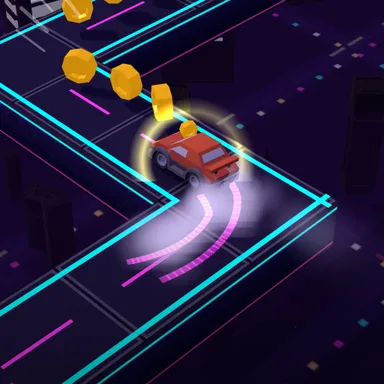
About Neon Drift Rush
Neon Drift Rush drops you into a glowing midnight city where the only road is a narrow ribbon of light floating above the skyline. Your sports car never stops moving, so every second is a decision: hold to swing the nose to the right, let go to slide back to the left. It sounds simple, yet each corner asks for perfect timing, because release too late and your tires leave the track, release too early and you clip the inner edge. Chain clean drifts together and you will feel the rhythm of the road take over as the beat pulses in the background. Coins line the straights, rewarding players who stay on the racing line instead of panicking at the bends. The farther you travel, the faster the car gets, so a run that starts relaxed turns into a frantic test of nerves within a minute. There are no lives and no checkpoints, just your distance, your coin count and a best score waiting to be beaten. It is the kind of one-button challenge that is easy to start during a short break and hard to put down once you see a new record within reach. Learn how the car keeps sliding after you let go, plan your turn before the corner arrives, and see how far into the neon night you can drive.
How to play
Hold the mouse button, the screen or Space to turn right. Release to turn left. Stay on the glowing road, grab coins on the straights and beat your best distance.
Controls
| SpaceClick / Tap | Drift |
📺 Play on a TV or projector
- Laptop or PC: connect it to the TV or projector with an HDMI cable (or cast the Chrome tab / mirror your screen), then press the fullscreen button.
- Android TV, Google TV or a TV box: open this site in a browser app on the TV (any Chromium-based TV browser works) and pick a game with the remote's arrows and OK.
- Gamepad: pair a Bluetooth controller (Xbox, PlayStation or a generic one) or plug in a USB one. Stick or D-pad moves, Ⓐ/✕ jumps and selects, Start pauses, View/Select switches fullscreen. In point-and-click games the right stick moves a pointer and RT clicks.
- Phone or tablet: mirror or cast your screen to the TV, or open the site in the TV's own browser.
Difficulty: ★★☆☆☆ · Released: 2025-06-14