
About Coral Reef Catch
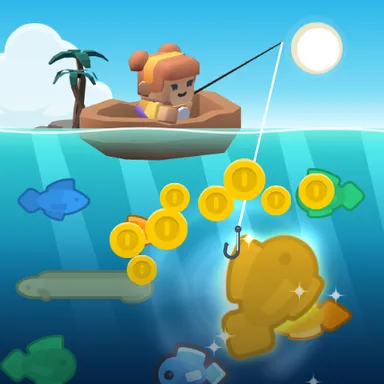
Paddle out to a turquoise lagoon between two palm islands and fish the most colourful water on the map. Coral Reef Catch packs the sea with clownfish, tangs, wrasses, parrotfish and butterflyfish, but the reef fights back in two ways. First, spiky pufferfish drift through every layer. They never take the bait; brush one and it balloons up and shoves your hook aside, and if you hit one while reeling in it knocks your two newest fish clean off the line. Second, warm ocean currents sweep across certain depths, marked by streaks of foam, and push the hook sideways whether you like it or not. Read the flow, lean against it and dodge through on the way down, then use it to swing into a fat grouper or a moray eel on the way back up. Everything you land is launched into the tropical sky for a tapping frenzy that turns fish into showers of gold coins and combo bonuses. Rare golden fish glow, slow time and pay five times more. Upgrade your line to reach the reef wall and the blue hole, where crabs and old treasure chests sit in the sand.
How to play
Tap to cast, steer with the mouse, a finger or ←/→. Dodge fish going down, catch them coming up, avoid pufferfish and fight the sideways currents. Tap the airborne catch for coins and upgrade between casts.
Controls
| Click / Tap | Tap |
| MouseArrow keys | Steer |
| Space | Tap |
📺 Play on a TV or projector
- Laptop or PC: connect it to the TV or projector with an HDMI cable (or cast the Chrome tab / mirror your screen), then press the fullscreen button.
- Android TV, Google TV or a TV box: open this site in a browser app on the TV (any Chromium-based TV browser works) and pick a game with the remote's arrows and OK.
- Gamepad: pair a Bluetooth controller (Xbox, PlayStation or a generic one) or plug in a USB one. Stick or D-pad moves, Ⓐ/✕ jumps and selects, Start pauses, View/Select switches fullscreen. In point-and-click games the right stick moves a pointer and RT clicks.
- Phone or tablet: mirror or cast your screen to the TV, or open the site in the TV's own browser.
Difficulty: ★★☆☆☆ · Released: 2026-10-07