
About Portal Hop Quest
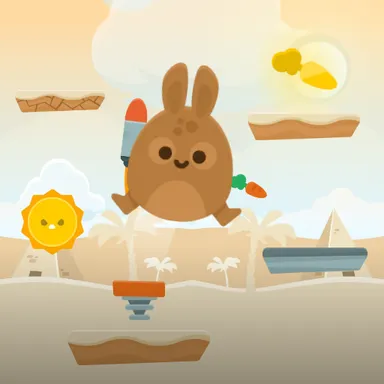
Portal Hop Quest turns bunny bouncing into a journey of eighteen handcrafted stages above a sunny desert of dunes, palms and pyramids. Each stage has a glowing golden portal floating at a set height; climb high enough to dive through it and the stage is cleared. The bunny bounces automatically, so your only job is steering, but the route above you changes from level to level. Early stages introduce one idea at a time: springs that launch you skyward, cracked sandstone ledges that crumble after one hop, clouds that vanish once used and stone ledges that slide back and forth. Later stages mix everything together, add hovering critters you can bop from above or knock down with a thrown carrot, and stretch the gaps until every landing counts. Three golden carrots hide along each climb, usually just off the obvious path, and grabbing them is how you earn three stars, so a safe climb and a perfect climb are two very different runs. A bar at the top shows how far the portal is and which golden carrots you already hold. Fall below the screen and the stage restarts from the bottom. Jetpacks and wings appear on later stages for a big burst of height, and the portal sends you on to the next, taller challenge.
How to play
Steer with ← → or the on-screen pads (tilt works too). Climb to the golden portal to clear the stage; collect all three golden carrots for three stars. Space or click throws a carrot at critters.
Controls
| ←→ | Steer |
| Space | Shoot |
📺 Play on a TV or projector
- Laptop or PC: connect it to the TV or projector with an HDMI cable (or cast the Chrome tab / mirror your screen), then press the fullscreen button.
- Android TV, Google TV or a TV box: open this site in a browser app on the TV (any Chromium-based TV browser works) and pick a game with the remote's arrows and OK.
- Gamepad: pair a Bluetooth controller (Xbox, PlayStation or a generic one) or plug in a USB one. Stick or D-pad moves, Ⓐ/✕ jumps and selects, Start pauses, View/Select switches fullscreen. In point-and-click games the right stick moves a pointer and RT clicks.
- Phone or tablet: mirror or cast your screen to the TV, or open the site in the TV's own browser.
Difficulty: ★★☆☆☆ · Released: 2026-10-08