
About Neon Rope Ninja
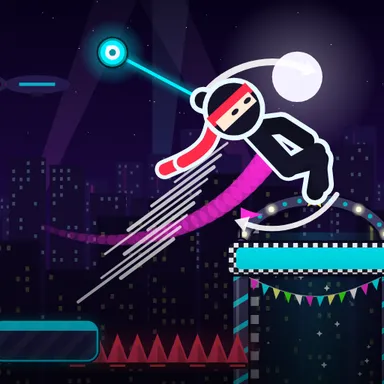
Neon Rope Ninja sends a masked ninja across a glowing city skyline at midnight. Your grappling line shines electric cyan, the rooftops pulse with pink and yellow signs, and almost nothing up here stays still. Hooks slide back and forth on rails or bob up and down between the towers, so every grab is about timing: wait for the hook to swing your way, hold to latch on, and release when the arc points forward. From the fifth stage on, security lasers cut across the gaps. Some burn constantly, others blink on and off with a short warning flicker, and touching a live beam sends you straight back to the start. Neon blocks bounce you away if you clip them, and spike strips line the floors and ceilings of the tighter alleys. Gravity is a little stronger than usual, which makes swings snappier and flights faster but leaves less room for error. Twenty-four handcrafted levels ramp from a calm rooftop warm-up to long gauntlets that mix moving hooks, blinking lasers and narrow gaps. Finish fast to earn three stars, string together flips for style, and learn each route until you can cross the whole skyline in one smooth, silent flight.
How to play
Hold to grab the hook, release to fly. Time your grabs on moving hooks, pass blinking lasers while they are off and avoid spikes on the way to the gate.
Controls
| Click / TapSpace | Hold |
📺 Play on a TV or projector
- Laptop or PC: connect it to the TV or projector with an HDMI cable (or cast the Chrome tab / mirror your screen), then press the fullscreen button.
- Android TV, Google TV or a TV box: open this site in a browser app on the TV (any Chromium-based TV browser works) and pick a game with the remote's arrows and OK.
- Gamepad: pair a Bluetooth controller (Xbox, PlayStation or a generic one) or plug in a USB one. Stick or D-pad moves, Ⓐ/✕ jumps and selects, Start pauses, View/Select switches fullscreen. In point-and-click games the right stick moves a pointer and RT clicks.
- Phone or tablet: mirror or cast your screen to the TV, or open the site in the TV's own browser.
Difficulty: ★★★★☆ · Released: 2026-10-06