
About Skyline Sprint
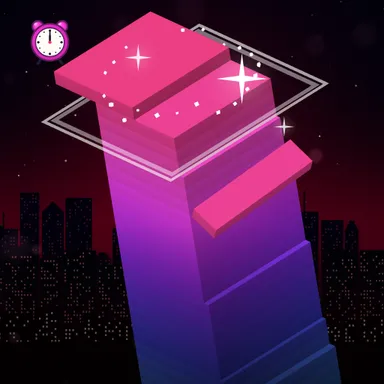
Skyline Sprint turns block stacking into a forty-five second race against the clock. You build a neon skyscraper in the middle of a dark city night, one glowing slab at a time, and the timer at the top never stops ticking. Every slab you land adds a floor, but anything hanging past the edge gets chopped away, so rushing makes your tower thinner and harder to hit. The trick is balance: tap fast enough to pile up floors before time runs out, but precise enough to land perfects, because every perfect snaps cleanly into place and buys you extra time: a full second early on, a little less as the tower climbs. String several perfects together and the rising notes turn into a little melody while the tower widens again. Slabs start quicker here than in a relaxed stacker and speed up as you climb, and the colours burn from hot magenta through red into electric orange against a deep violet sky. When the last five seconds arrive the bar flashes red and every tick counts. If you miss the tower entirely the run ends early, so a panicked tap can cost more than a slow one. Chase a bigger floor count each run, learn the tempo and see how tall a skyline you can raise before the buzzer.
How to play
Tap, click or press Space to drop each slab. You have 45 seconds: stack as many floors as you can. Perfect drops win back time, less as the tower grows.
Controls
| Click / TapSpace | Drop |
📺 Play on a TV or projector
- Laptop or PC: connect it to the TV or projector with an HDMI cable (or cast the Chrome tab / mirror your screen), then press the fullscreen button.
- Android TV, Google TV or a TV box: open this site in a browser app on the TV (any Chromium-based TV browser works) and pick a game with the remote's arrows and OK.
- Gamepad: pair a Bluetooth controller (Xbox, PlayStation or a generic one) or plug in a USB one. Stick or D-pad moves, Ⓐ/✕ jumps and selects, Start pauses, View/Select switches fullscreen. In point-and-click games the right stick moves a pointer and RT clicks.
- Phone or tablet: mirror or cast your screen to the TV, or open the site in the TV's own browser.
Difficulty: ★★★☆☆ · Released: 2026-10-06