
About Air Hockey Pro Tour
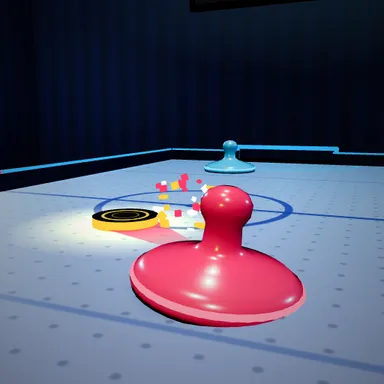
Air Hockey Pro Tour is a championship ladder played under bright arena lights. A seated crowd fills the benches on both sides of the court, the big scoreboard hangs above the far goal, and eight rivals are waiting for you, each with a name, a mallet colour and a playing style of their own. Rookie Remy is slow to react and taps the puck back gently. Slick Sal starts angling shots off the rails. The Twin Blades and Iron Ivy hold a tighter defensive line, Turbo Teo charges forward and hits through the puck, Neon Nova barely leaves a gap, Mirror Max plays a best-of-three, and The Wall at the top of the ladder reacts almost instantly and fires bank shots at blistering speed. Every stage raises the puck's top speed, the opponent's reaction time and the goals needed to win, so your timing, defence and bank shots have to improve as you climb. Beat a rival to unlock the next one and earn up to three stars for keeping your goal clean; a heavy defeat means you replay the stage until you crack their pattern. Win the final against The Wall to lift the title of air hockey champion.
How to play
Move the mouse or drag on touch to steer your mallet, or use WASD and the arrow keys. Strike the puck on the move for power and use the rails for angles. Win each match to unlock the next, tougher opponent.
Controls
| Mouse | Move |
| Drag | Move |
| W A S D | Move |
| Arrow keys | Move |
📺 Play on a TV or projector
- Laptop or PC: connect it to the TV or projector with an HDMI cable (or cast the Chrome tab / mirror your screen), then press the fullscreen button.
- Android TV, Google TV or a TV box: open this site in a browser app on the TV (any Chromium-based TV browser works) and pick a game with the remote's arrows and OK.
- Gamepad: pair a Bluetooth controller (Xbox, PlayStation or a generic one) or plug in a USB one. Stick or D-pad moves, Ⓐ/✕ jumps and selects, Start pauses, View/Select switches fullscreen. In point-and-click games the right stick moves a pointer and RT clicks.
- Phone or tablet: mirror or cast your screen to the TV, or open the site in the TV's own browser.
Difficulty: ★★★☆☆ · Released: 2026-10-07