
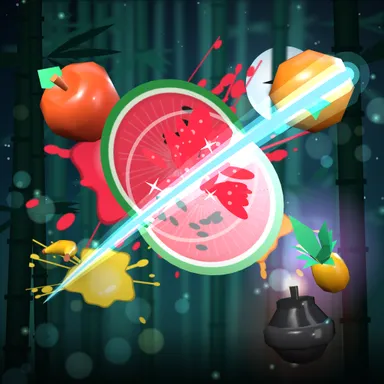
About Midnight Melon Frenzy
Midnight Melon Frenzy is a sixty-second score attack in a moonlit bamboo garden, glowing with cool neon light. The clock is your only real enemy here: there are no lives to lose and fruit that falls off the screen costs nothing, so the whole minute is about squeezing as many points as possible out of every wave. Swipe through tumbling fruit to split it, and chain cuts in a single stroke for combo bonuses that grow with every extra piece. Bombs still appear, and more often than in the classic dojo, but they do not end the run. Instead, cutting one costs ten points and jolts your blade for a moment, which can wreck a combo at the worst possible time. Special fruit is more than twice as common as usual and changes the pace completely. A frosty fruit freezes the action into slow motion for a few seconds, perfect for lining up a giant combo, while a rainbow fruit triggers a frenzy that flings extra volleys of fruit in from both sides of the screen. Chain a frenzy with slow motion and the screen fills with juice. When the timer turns red in the last ten seconds, swing wildly and chase your best score.
How to play
Drag to slice fruit for 60 seconds. Bombs cost 10 points and stun your blade. Frost fruit slows time, rainbow fruit starts a frenzy. Chain cuts in one swipe for combos.
Controls
| Drag | Swipe |
📺 Play on a TV or projector
- Laptop or PC: connect it to the TV or projector with an HDMI cable (or cast the Chrome tab / mirror your screen), then press the fullscreen button.
- Android TV, Google TV or a TV box: open this site in a browser app on the TV (any Chromium-based TV browser works) and pick a game with the remote's arrows and OK.
- Gamepad: pair a Bluetooth controller (Xbox, PlayStation or a generic one) or plug in a USB one. Stick or D-pad moves, Ⓐ/✕ jumps and selects, Start pauses, View/Select switches fullscreen. In point-and-click games the right stick moves a pointer and RT clicks.
- Phone or tablet: mirror or cast your screen to the TV, or open the site in the TV's own browser.
Difficulty: ★★★☆☆ · Released: 2026-10-08