
About Gotcha Meadow
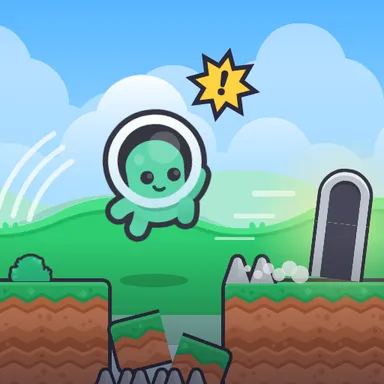
Gotcha Meadow looks like the friendliest platformer you have ever played: rolling green hills, fluffy clouds, a cheerful little alien in a space helmet and a wide open door waiting at the end of every screen. Then you take three steps and the ground falls out from under you. Every one of the twenty-five hand-built levels hides one or two dirty tricks. Floors collapse the moment you trust them, spikes shoot out exactly where you planned to land, ceilings drop like hammers, invisible blocks appear above your head mid-jump and the exit door gets nervous and runs away up a staircase. Later screens flip gravity, roll saw blades at your ankles and chase you with a wall of spikes. Deaths are instant and so is the respawn, so you learn each trap by falling into it, laugh, and dash straight back in with a new plan. Controls are tight and forgiving where it matters, with a short grace window after you run off a ledge and a jump that goes higher the longer you hold the button. A death counter keeps score of your humiliation, and clearing a level without dying earns all three stars. Can you reach the final door with your dignity intact?
How to play
Move with the arrow keys or A/D and jump with Space, W or the up arrow (hold longer to jump higher). On phones use the ◀ ▶ pads and the jump button. Reach the open door to clear the level. The level is lying to you: when something surprises you, remember it, respawn instantly and try again.
Controls
| ←→ | Move |
| Space↑ | Jump |
| R | Restart |
📺 Play on a TV or projector
- Laptop or PC: connect it to the TV or projector with an HDMI cable (or cast the Chrome tab / mirror your screen), then press the fullscreen button.
- Android TV, Google TV or a TV box: open this site in a browser app on the TV (any Chromium-based TV browser works) and pick a game with the remote's arrows and OK.
- Gamepad: pair a Bluetooth controller (Xbox, PlayStation or a generic one) or plug in a USB one. Stick or D-pad moves, Ⓐ/✕ jumps and selects, Start pauses, View/Select switches fullscreen. In point-and-click games the right stick moves a pointer and RT clicks.
- Phone or tablet: mirror or cast your screen to the TV, or open the site in the TV's own browser.
Difficulty: ★★★☆☆ · Released: 2026-10-07