
About Fruit Slash Dojo
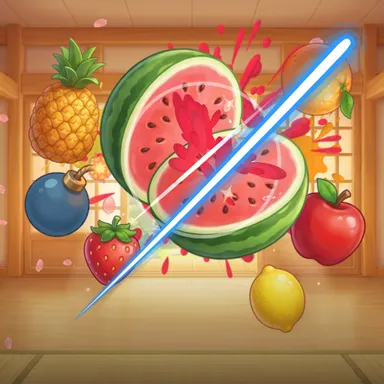
Fruit Slash Dojo turns your own two hands into glowing blades. Stand in front of the camera and swing: a bright trail follows each real hand across a lantern-lit wooden dojo, and every watermelon, pineapple, coconut, orange and strawberry it crosses splits clean in half, tumbles away with its juicy inside showing and splashes juice across the wall. Swing through three or more fruit at once for a combo, and keep both arms moving, because the fruit comes from both sides. Black bombs with fizzing fuses must not be touched. Ice bananas freeze time for a moment, gold bananas set off a fruit storm, and every arcade round ends with the Mega Melon, a giant watermelon you chop again and again before it bursts. Slow hands do not cut, so there is no holding a hand in the way: big, fast swings win. Pick a mode by slicing its fruit on the menu: Classic, where three dropped fruit end the run; Arcade, a 60 second score chase; or Zen, 90 calm seconds without bombs. Two players can share one camera and race on their own half of the screen, and you can race friends online. Your Wiggle Look stands in the corner copying your arms. Play with the camera, which only looks at your hands and keeps the picture on your device, or with a mouse, finger, keys or a gamepad.
How to play
Choose Play with my body and stand where the camera sees your head, shoulders and both hands. Swing your hands fast through the fruit to slice it — a slow hand only bumps it. Slice several in one swing for a combo, never touch the bombs, and chop the Mega Melon as many times as you can at the end. Mouse or finger: drag to slice. Keys: WASD and the arrows steer two blades.
Controls
| Drag | Swipe |
| W A S D | Move |
| Arrow keys | Move |
📺 Play on a TV or projector
- Laptop or PC: connect it to the TV or projector with an HDMI cable (or cast the Chrome tab / mirror your screen), then press the fullscreen button.
- Android TV, Google TV or a TV box: open this site in a browser app on the TV (any Chromium-based TV browser works) and pick a game with the remote's arrows and OK.
- Gamepad: pair a Bluetooth controller (Xbox, PlayStation or a generic one) or plug in a USB one. Stick or D-pad moves, Ⓐ/✕ jumps and selects, Start pauses, View/Select switches fullscreen. In point-and-click games the right stick moves a pointer and RT clicks.
- Phone or tablet: mirror or cast your screen to the TV, or open the site in the TV's own browser.
Difficulty: ★☆☆☆☆ · Released: 2026-10-13