
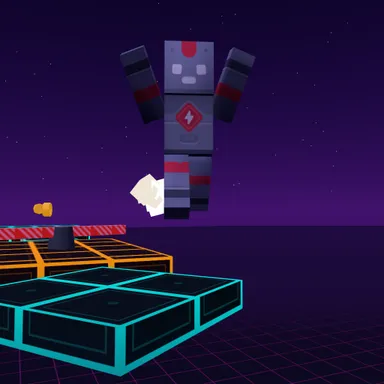
About Neon Rush Obby
Neon Rush Obby is a speedrun obstacle course built from glowing glass blocks hovering over an endless synthwave grid. Your robot runs faster than in other courses and can jump a second time in mid-air, and you will need both: every stage starts a countdown, and if the clock hits zero before you reach the finish star the run is over. The gaps are wider here, so the double jump becomes your main tool for clearing long leaps between floating tiles. Thirty-two stages bring in phase tiles that flicker in and out of existence, spinning laser bars that sweep the floor, discs that turn under your feet, saws that slide across narrow walkways, spike rows that fire in rhythm, pushers that shove you toward the void and pools of glowing acid crossed on tiny stepping stones. Checkpoints still save your progress inside a stage, but every fall eats precious seconds, so the real goal is a clean run. Finish well under the clock to earn three stars, grab the coins that trace the fastest line, and retry instantly when a jump goes wrong. Controls stay the same on every device: keys or a thumb stick to run, Space or a big button to jump, and a drag to swing the camera.
How to play
Run with WASD / arrows or the stick, jump with Space or ▲ and press again in mid-air to double jump. Reach the star before the countdown ends.
Controls
| W A S DArrow keys | Move |
| Space | Jump |
| Drag | Rotate |
📺 Play on a TV or projector
- Laptop or PC: connect it to the TV or projector with an HDMI cable (or cast the Chrome tab / mirror your screen), then press the fullscreen button.
- Android TV, Google TV or a TV box: open this site in a browser app on the TV (any Chromium-based TV browser works) and pick a game with the remote's arrows and OK.
- Gamepad: pair a Bluetooth controller (Xbox, PlayStation or a generic one) or plug in a USB one. Stick or D-pad moves, Ⓐ/✕ jumps and selects, Start pauses, View/Select switches fullscreen. In point-and-click games the right stick moves a pointer and RT clicks.
- Phone or tablet: mirror or cast your screen to the TV, or open the site in the TV's own browser.
Difficulty: ★★★★☆ · Released: 2026-10-08