
About Mine Quest Meadow
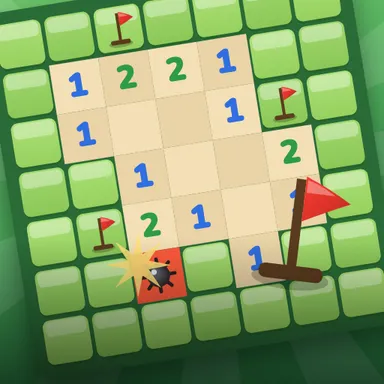
Mine Quest Meadow turns minesweeping into a forty level adventure across sunny fields of grass. Hidden beneath the turf are buried mines, and the sandy numbers you uncover reveal exactly how many lie next to each patch. Every level starts from a glowing tile that is guaranteed to open a pocket of clear ground, and every field has been verified by a logic solver so it can be finished without a single blind guess. The quest begins on tiny six by six meadows that teach the basics in under a minute, then grows step by step into wide twenty four and thirty column plains packed with mines. Dig with a tap, hold to plant a bright red flag, and tap a number whose flags are complete to clear all its neighbours in one satisfying ripple. Finish under the par time without hints to earn three stars, and replay any level to improve your best. If a mine goes off, a second chance lets you undo that tap. Large fields stand upright on phones so every tile stays easy to hit. Your progress, stars and current level are saved automatically.
How to play
Start on the glowing tile. Tap to dig, long-press or right-click to flag. Numbers count the mines touching a tile; tap a number with all its flags placed to open its neighbours. Clear every safe tile. Beat the par time without hints for 3 stars.
Controls
| Click / Tap | Select |
| Right-clickHold | Place |
| F | Place |
📺 Play on a TV or projector
- Laptop or PC: connect it to the TV or projector with an HDMI cable (or cast the Chrome tab / mirror your screen), then press the fullscreen button.
- Android TV, Google TV or a TV box: open this site in a browser app on the TV (any Chromium-based TV browser works) and pick a game with the remote's arrows and OK.
- Gamepad: pair a Bluetooth controller (Xbox, PlayStation or a generic one) or plug in a USB one. Stick or D-pad moves, Ⓐ/✕ jumps and selects, Start pauses, View/Select switches fullscreen. In point-and-click games the right stick moves a pointer and RT clicks.
- Phone or tablet: mirror or cast your screen to the TV, or open the site in the TV's own browser.
Difficulty: ★★★☆☆ · Released: 2026-10-07