
About Quick Battle: Ten-Minute War
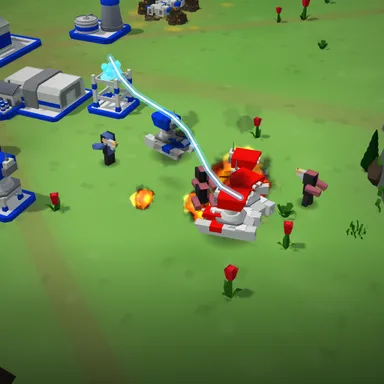
Quick Battle: Ten-Minute War skips the slow opening and throws you straight into the fight. Both sides start on a bright green meadow with a power plant and a barracks already standing, a fat stack of six hundred credits and a faster trickle of income, so your first rifle bots can be on the field within seconds. The map is known from the start, but enemy units stay hidden outside your sight. The red AI is tuned for tempo: its first wave arrives early and it keeps the pressure on with frequent pushes, so you have to build and fight at the same time. A countdown clock in the corner gives the whole match eight minutes. Destroy the enemy construction yard before the timer runs out for a clean win; if both bases are still standing at the buzzer, the side that destroyed more units and buildings and kept its own headquarters healthier takes the victory. That makes every trade count. Rush tanks, mass rocket bots, sneak flamers into the enemy mining line or turtle behind a tesla coil and win on points. Short, punchy and perfect for a coffee break, it is the fastest way to feel the whole tech tree.
How to play
You start with power and a barracks: train bots right away from the Army tab, then add a war factory. Drag-select, click a unit then click the ground to move or an enemy to attack (right-click or Ctrl+click too), A+click attack-move, H hold, S stop, F toggles double speed. The clock shows time left; destroy the enemy yard or lead on points when it hits zero. Touch: tap to select and command, drag to scroll, pinch to zoom.
Controls
| Drag | Select |
| Mouse | Move |
| A | Aim |
| H | Hold |
| Arrow keys | Move |
📺 Play on a TV or projector
- Laptop or PC: connect it to the TV or projector with an HDMI cable (or cast the Chrome tab / mirror your screen), then press the fullscreen button.
- Android TV, Google TV or a TV box: open this site in a browser app on the TV (any Chromium-based TV browser works) and pick a game with the remote's arrows and OK.
- Gamepad: pair a Bluetooth controller (Xbox, PlayStation or a generic one) or plug in a USB one. Stick or D-pad moves, Ⓐ/✕ jumps and selects, Start pauses, View/Select switches fullscreen. In point-and-click games the right stick moves a pointer and RT clicks.
- Phone or tablet: mirror or cast your screen to the TV, or open the site in the TV's own browser.
Difficulty: ★★★☆☆ · Released: 2026-10-07