
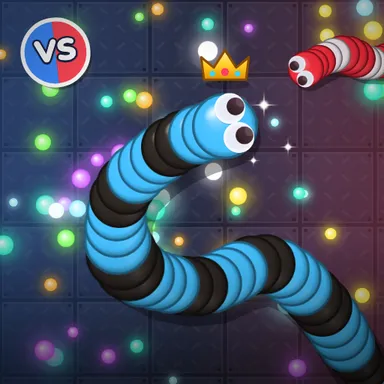
About Red vs Blue Snakes
Red vs Blue Snakes is a team battle where your score is the combined length of your whole squad. You join the blue team on a steel plated arena split into two home halves, ten snakes per side, and the tug of war bar at the top shows which colour is winning at every moment. Teammates are friends in the most literal way: blue snakes slide straight through each other, so you can weave across an ally's coils to escape a chase or to set a trap together. Red snakes are another story. Touch a red body with your head and you burst, but lure a red hunter into a blue wall and the whole team feasts. Each snake still wears its own pattern, recoloured in team shades, with glowing name tags so you always know who is who. When you are eaten you rejoin the fight a few seconds later from your home side. Turbo bubbles help you chase, ghost bubbles let you pass through anything for a few seconds and magnets pull in the food. After three minutes the colour with the most total length wins the match, so protect your big teammates and pick off the red stragglers. Team up online: Quick Match, private rooms and friend invites seat up to six real players, split between blue and red, with the AI playing any empty seat and the rival bots filling out both sides. Online rounds run a few minutes with instant respawns, and the colour with the most total length at the bell wins and earns the points.
How to play
Steer with the mouse or the stick, boost with click, Space or the lightning button. Blue teammates pass through each other; red bodies are deadly. When the three minutes end, the team with the most total length wins. Online: use Quick Match, a room or a friend invite on the game page. Up to six players per arena, a round lasts a few minutes, and you respawn when you are eaten.
Controls
| Mouse | Steer |
| Click / TapSpace | Boost |
| Arrow keys | Steer |
📺 Play on a TV or projector
- Laptop or PC: connect it to the TV or projector with an HDMI cable (or cast the Chrome tab / mirror your screen), then press the fullscreen button.
- Android TV, Google TV or a TV box: open this site in a browser app on the TV (any Chromium-based TV browser works) and pick a game with the remote's arrows and OK.
- Gamepad: pair a Bluetooth controller (Xbox, PlayStation or a generic one) or plug in a USB one. Stick or D-pad moves, Ⓐ/✕ jumps and selects, Start pauses, View/Select switches fullscreen. In point-and-click games the right stick moves a pointer and RT clicks.
- Phone or tablet: mirror or cast your screen to the TV, or open the site in the TV's own browser.
Difficulty: ★★★☆☆ · Released: 2026-10-07