
About Desert Outpost: Four-Front Campaign
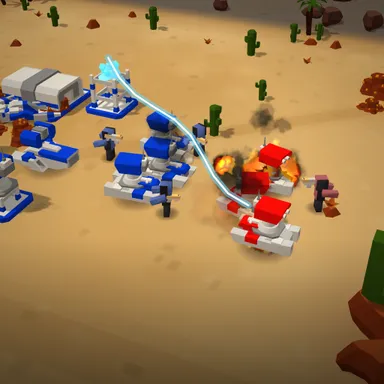
Desert Outpost is a compact real-time strategy campaign across four very different fronts, and the perfect place to learn how to command an army. Every battle starts the same way: a lone construction yard and three hover harvesters skimming toward the golden ore beside your base. Each load they haul home turns into credits, and credits become buildings and troops. Drop a power plant, then a barracks, and the sidebar lights up with rifle bots, rocket bots and flame bots; add a war factory for tanks and artillery, and defend with turrets and tesla coils. The first front is a sun-baked desert plateau with an easy opponent and gentle coach marks that walk you through your first base. Win it and the island front opens: four corners of a sea-ringed map where the ore fields run dry, so you must expand toward fresh ones. Next comes Twin Rivers, where two ridges split the battlefield into lanes and choke points decide every push. The last front is a frozen mountain gorge against a hard, aggressive commander who strikes early and often. Fog of war hides the enemy until your units scout ahead, so every match plays out differently. Clear a front to unlock the next, replay any of them from the level menu, and beat the whole campaign to prove you are a true commander.
How to play
Mouse or trackpad: drag to box-select, click a unit to select it, then click the ground to move or an enemy to attack (right-click or Ctrl+click works too). A then click to attack-move, H hold, S stop, Ctrl+1–9 save squads and 1–9 recall them. Build from the sidebar: click a cameo, then click the ground. Scroll with arrow keys, screen edges or drag with the right button; wheel zooms, Q/E rotate. Touch: tap a unit then the ground, drag to scroll, pinch to zoom, use the Select button or long-press to box-select. Win a front to unlock the next.
Controls
| Drag | Select |
| Mouse | Move |
| A | Aim |
| H | Hold |
| Arrow keys | Move |
📺 Play on a TV or projector
- Laptop or PC: connect it to the TV or projector with an HDMI cable (or cast the Chrome tab / mirror your screen), then press the fullscreen button.
- Android TV, Google TV or a TV box: open this site in a browser app on the TV (any Chromium-based TV browser works) and pick a game with the remote's arrows and OK.
- Gamepad: pair a Bluetooth controller (Xbox, PlayStation or a generic one) or plug in a USB one. Stick or D-pad moves, Ⓐ/✕ jumps and selects, Start pauses, View/Select switches fullscreen. In point-and-click games the right stick moves a pointer and RT clicks.
- Phone or tablet: mirror or cast your screen to the TV, or open the site in the TV's own browser.
Difficulty: ★★☆☆☆ · Released: 2026-10-07