
About Knight Quest: Dragon Castle
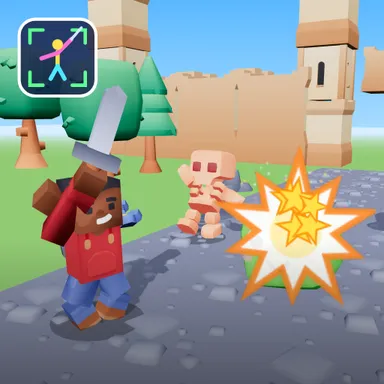
Knight Quest: Dragon Castle turns your living room into a castle full of goofy monsters, and your own arm is the sword. Turn on the camera and you become a blocky knight in your own Wiggle Look, with a sword in your right hand, a round shield on your left arm and a cape flying behind you. Monsters march up to you and stop right in front of you with a big glowing arrow on their belly. Swing your arm the way the arrow points, left, right, up, down or across, and the monster pops into confetti and stars. Every arrow has a ring that closes on the beat of the war drums, so slash just as it closes for a PERFECT and keep your combo climbing to times four. Monsters fight back too: skeletons swing their swords, so raise both arms to block with your shield; ghosts swoop low, so duck; orcs charge down their lane, so step out of the way. Five rooms lead up the castle: the gate, the great hall, the crypt garden, the moat bridge at sunset and the tower stairs. At the very top waits the dragon. Slash its glowing weak spots, block its fire, duck its tail and dodge its claws until it gets dizzy and turns into a tiny baby dragon. Earn stars to unlock flame, ice, golden and rainbow swords. Two kids can play back to back on one camera, each guarding one side, or race friends online. Only your movements are used and the picture stays on your device. No camera? Play with the arrow keys, a gamepad, a TV remote or by swiping.
How to play
Choose Play with my body and stand two to three metres from the camera so it sees you from head to knees. When a monster shows an arrow, swing either arm fast the way the arrow points; slash as the ring closes for a perfect. When a monster glows red and shows a sign: BLOCK means raise both forearms in front of your face, DUCK means squat down, STEP means take a big step to that side. Keys: arrows slash (press two together for a diagonal), Space blocks, X ducks, A and D step, Enter defends; or swipe on the screen. Two players: choose 2 players, one camera. Online: Quick Match, Create room or Invite on the game page.
Controls
| Arrow keys | Swing |
| Space | Block |
| X | Duck |
| AD | Dash |
| Enter | Block |
📺 Play on a TV or projector
- Laptop or PC: connect it to the TV or projector with an HDMI cable (or cast the Chrome tab / mirror your screen), then press the fullscreen button.
- Android TV, Google TV or a TV box: open this site in a browser app on the TV (any Chromium-based TV browser works) and pick a game with the remote's arrows and OK.
- Gamepad: pair a Bluetooth controller (Xbox, PlayStation or a generic one) or plug in a USB one. Stick or D-pad moves, Ⓐ/✕ jumps and selects, Start pauses, View/Select switches fullscreen. In point-and-click games the right stick moves a pointer and RT clicks.
- Phone or tablet: mirror or cast your screen to the TV, or open the site in the TV's own browser.
Difficulty: ★☆☆☆☆ · Released: 2026-10-13