
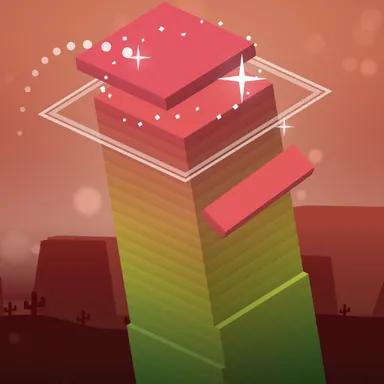
About Zigzag Heights
Zigzag Heights takes the classic tap-to-stack idea and bends it. Slabs no longer slide along a straight line: each one swoops in on a diagonal, curving arc, cutting across the tower at an angle that changes from layer to layer. On top of that, the speed breathes. A slab drifts lazily, then surges forward, then slows again, so you cannot simply count a steady beat; you have to watch and feel the moment it passes over the centre. Because the path is diagonal, a late or early tap can slice your block on two sides at once, carving off an L-shaped chunk instead of a single strip. That makes careless taps far more costly, but it also makes perfects feel brilliant. Land five in a row and the tower spreads back out a little with every further perfect. The palette follows a desert sunset, starting with warm apricot and sliding through coral and rose toward deep magenta as you climb, with the sky glowing to match. It is the most demanding way to build a tower in this collection, aimed at players who already love the one-tap rhythm and want something that keeps them on their toes. Read the curve, ride the breathing tempo and keep your column standing tall.
How to play
Tap, click or press Space to drop the slab as it swoops over the tower. Paths curve diagonally and the speed surges and slows, so watch the centre.
Controls
| Click / TapSpace | Drop |
📺 Play on a TV or projector
- Laptop or PC: connect it to the TV or projector with an HDMI cable (or cast the Chrome tab / mirror your screen), then press the fullscreen button.
- Android TV, Google TV or a TV box: open this site in a browser app on the TV (any Chromium-based TV browser works) and pick a game with the remote's arrows and OK.
- Gamepad: pair a Bluetooth controller (Xbox, PlayStation or a generic one) or plug in a USB one. Stick or D-pad moves, Ⓐ/✕ jumps and selects, Start pauses, View/Select switches fullscreen. In point-and-click games the right stick moves a pointer and RT clicks.
- Phone or tablet: mirror or cast your screen to the TV, or open the site in the TV's own browser.
Difficulty: ★★★★☆ · Released: 2026-10-06