
About Canyon Stunt Moto
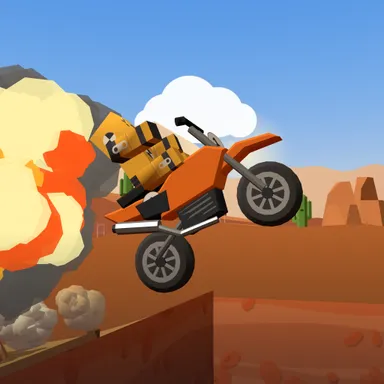
Canyon Stunt Moto is a side-view dirt bike stunt course carved through red desert canyons. A crash-test dummy rides an orange dirt bike across thirty-two short levels packed with wooden kickers, wide gaps, loop-the-loops, red barrels that explode on contact, collapsing plank bridges, tipping seesaws, crates and spinning saw blades. Hold the throttle to build speed, then lean back and forward to control the bike: on the ground leaning pops wheelies and stoppies, and in the air it spins the bike, so a well-timed lean turns a big jump into a backflip. Every clean flip knocks a second off your clock, which is the secret to three-star times. Land with both wheels on the track, because touching the ground with the rider sends you back to the last checkpoint flag while the timer keeps running. The levels grow from gentle hills and easy hops into long runs with several flags, giant boost jumps and saws that bob up and down. A progress bar with flags shows how far you have come, the timer tracks your star rating live, and the finish gate throws confetti when you cross it. On a computer use the arrow keys or WASD; on a phone hold the big buttons on the right for gas and brake and tap the arrows on the left to lean.
How to play
↑ / W gas, ↓ / S brake, ← → / A D lean back and forward. Lean in the air to flip and land on both wheels. Flips take time off the clock.
Controls
| ↑ | Accelerate |
| ↓ | Brake / reverse |
| Arrow keys | Lean / balance |
📺 Play on a TV or projector
- Laptop or PC: connect it to the TV or projector with an HDMI cable (or cast the Chrome tab / mirror your screen), then press the fullscreen button.
- Android TV, Google TV or a TV box: open this site in a browser app on the TV (any Chromium-based TV browser works) and pick a game with the remote's arrows and OK.
- Gamepad: pair a Bluetooth controller (Xbox, PlayStation or a generic one) or plug in a USB one. Stick or D-pad moves, Ⓐ/✕ jumps and selects, Start pauses, View/Select switches fullscreen. In point-and-click games the right stick moves a pointer and RT clicks.
- Phone or tablet: mirror or cast your screen to the TV, or open the site in the TV's own browser.
Difficulty: ★★☆☆☆ · Released: 2026-10-08