
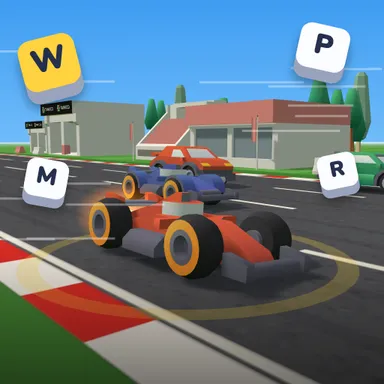
About Keyboard Racing Cup
Keyboard Racing Cup turns typing into a proper motor race. Four cars line up on a sunny circuit lined with grandstands, banners and flags, the lights count down, and the only throttle you have is your keyboard. Every letter you type correctly pushes your red racer forward; every word you finish without a slip builds a streak, and five perfect words in a row light up the nitro with a burst of flame and speed lines. Three rival typists race beside you, each with their own rhythm: they surge, hesitate, make the odd mistake and recover, just like real people. The career has thirty races. The first few are short, friendly sprints against slow rivals, and every round the passages grow longer and the rivals get quicker, until the final races demand a steady seventy words per minute. Finish on the podium to unlock the next race, win to earn two stars and win with at least ninety-five percent accuracy to earn all three. A live speedometer shows your words per minute, a strip at the top shows who is ahead, and at the finish you get your speed, accuracy and best streak. On a phone a full on-screen keyboard appears so you can race with your thumbs. Online, Quick Match, private rooms and friend invites put up to four real typists on the same grid: everybody races the same sentence, the AI types for any empty seat at a believable speed, and the finish order decides who earns the points.
How to play
Type the highlighted text to drive. Each correct letter moves your car; a wrong key stops you until you press the right one. Five perfect words in a row fire the nitro. Finish in the top three to unlock the next race. Online: pick Quick Match, a room or a friend invite on the game page. Up to four racers type the same sentence; empty seats are typed by the AI. First to the line wins.
Controls
| Keyboard | Type |
| Click / Tap | Type |
📺 Play on a TV or projector
- Laptop or PC: connect it to the TV or projector with an HDMI cable (or cast the Chrome tab / mirror your screen), then press the fullscreen button.
- Android TV, Google TV or a TV box: open this site in a browser app on the TV (any Chromium-based TV browser works) and pick a game with the remote's arrows and OK.
- Gamepad: pair a Bluetooth controller (Xbox, PlayStation or a generic one) or plug in a USB one. Stick or D-pad moves, Ⓐ/✕ jumps and selects, Start pauses, View/Select switches fullscreen. In point-and-click games the right stick moves a pointer and RT clicks.
- Phone or tablet: mirror or cast your screen to the TV, or open the site in the TV's own browser.
Difficulty: ★★☆☆☆ · Released: 2026-10-08