
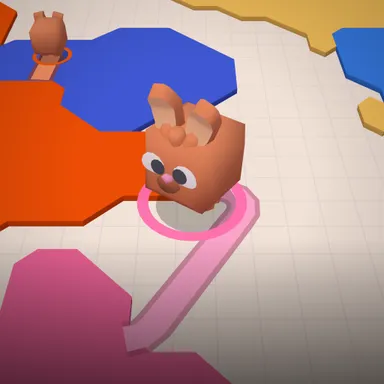
About Color Turf Quest
Color Turf Quest turns territory painting into a campaign of thirty-six handcrafted challenges on a candy-coloured board surrounded by donuts, cupcakes and lollipops. Each level has its own arena and its own goal. Sometimes you simply need to own a fifth of the board, sometimes you have to cut the trails of three rivals, sometimes you must be on top of the leaderboard when the clock runs out, and every few levels a giant boss sits on a huge chunk of land that you have to take apart piece by piece until it is gone. The boards change shape as you progress: circles and squares first, then a donut with a hole in the middle, a plus sign, a five-pointed star and a peanut with a narrow waist, each of which asks for a different way of looping. Rivals start shy and slow, then grow bolder, quicker and better at hunting your trail. Finish fast for three stars, replay old levels to improve your times and collect the stars that unlock new cube pets for your painter. It is the perfect way to learn every trick of the genre, one bite-sized goal at a time.
How to play
Steer with the mouse, the arrow keys or by dragging. Read the goal at the start of each level: capture a share of the board, knock out rivals, finish first or topple the boss. Finish quickly to earn three stars.
Controls
| Mouse | Steer |
| Arrow keysW A S D | Steer |
| Drag | Steer |
📺 Play on a TV or projector
- Laptop or PC: connect it to the TV or projector with an HDMI cable (or cast the Chrome tab / mirror your screen), then press the fullscreen button.
- Android TV, Google TV or a TV box: open this site in a browser app on the TV (any Chromium-based TV browser works) and pick a game with the remote's arrows and OK.
- Gamepad: pair a Bluetooth controller (Xbox, PlayStation or a generic one) or plug in a USB one. Stick or D-pad moves, Ⓐ/✕ jumps and selects, Start pauses, View/Select switches fullscreen. In point-and-click games the right stick moves a pointer and RT clicks.
- Phone or tablet: mirror or cast your screen to the TV, or open the site in the TV's own browser.
Difficulty: ★★★☆☆ · Released: 2026-10-08