
About Paw Paint Arena
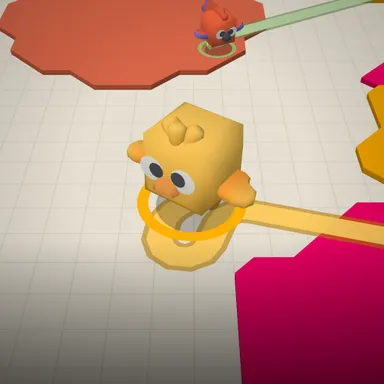
Paw Paint Arena drops you onto a giant sheet of paper in the middle of a sunny meadow, together with a dozen cube-shaped pets who all want the same thing: as much of the board as possible. You start with a small square of colour. Glide out of it and you leave a bright ribbon behind you; swing back home and everything inside your loop turns into your land in a satisfying wave of rising tiles. The catch is that your ribbon is fragile. Any rival who runs across it while you are still out in the open knocks you out of the round, and the same trick works on them, so every trip becomes a little gamble between a greedy loop and a quick, safe one. Rivals are smart enough to hunt exposed trails, bail out when you get close and steal chunks of your land, so the leaderboard keeps changing. Watch the danger warning, cut a long trail for a double knockout and climb from a tiny dot to the crown. Rounds are endless: you keep painting until somebody cuts you. Reaching new records unlocks fresh pets, from a penguin and a piggy to a lion, a bee and a polar bear. You can also play online: pick Quick Match, open a room or invite friends, and up to six real painters share the meadow for a three-minute round while CPU painters fill every empty seat. Everyone respawns small after a crash, and the biggest share of the board at the bell wins.
How to play
Steer with the mouse, the arrow keys or by dragging anywhere on the screen. Leave your land, draw a loop and come back to claim everything inside it. Cross a rival's trail to knock them out, and never let anyone touch yours. Online: Quick Match, a room or a friend invite starts a three-minute round, and the biggest land share wins.
Controls
| Mouse | Steer |
| Arrow keysW A S D | Steer |
| Drag | Steer |
📺 Play on a TV or projector
- Laptop or PC: connect it to the TV or projector with an HDMI cable (or cast the Chrome tab / mirror your screen), then press the fullscreen button.
- Android TV, Google TV or a TV box: open this site in a browser app on the TV (any Chromium-based TV browser works) and pick a game with the remote's arrows and OK.
- Gamepad: pair a Bluetooth controller (Xbox, PlayStation or a generic one) or plug in a USB one. Stick or D-pad moves, Ⓐ/✕ jumps and selects, Start pauses, View/Select switches fullscreen. In point-and-click games the right stick moves a pointer and RT clicks.
- Phone or tablet: mirror or cast your screen to the TV, or open the site in the TV's own browser.
Difficulty: ★★☆☆☆ · Released: 2026-10-08