
About Market Day Dash
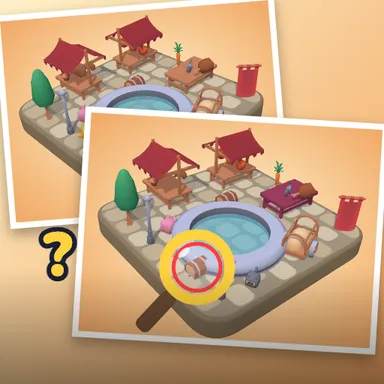
Market Day Dash turns spot the difference into a race against the clock. You start with sixty seconds and a busy little market square: wooden stalls with striped awnings piled high with apples, melons, bread and cakes, a stone fountain, carts, lanterns, barrels and a few curious cats and chickens wandering between them. Each scene hides five differences. Every one you find adds four seconds to the clock, clearing a whole scene adds six more, and the next market slides straight in, so the faster you look the longer your run lasts. A wrong tap takes three seconds away, so careless clicking will cost you. The scenes rotate between a fruit and vegetable market, a bakery fair full of pies and doughnuts and a farm market with crates of carrots, pumpkins and corn, and the order is shuffled every run so no two runs are the same. Two magnifier hints per scene help when a difference refuses to show itself, and you can zoom in at any time. Your score is the total number of differences found before the clock hits zero. Beat your best, chain scene after scene and see how long your market day can last.
How to play
Find the five differences in each market scene before the clock runs out. Each find adds four seconds and each finished scene adds six. Wrong taps cost three seconds. Your score is the number of differences found.
Controls
| Click / Tap | Select |
| Drag | Zoom |
📺 Play on a TV or projector
- Laptop or PC: connect it to the TV or projector with an HDMI cable (or cast the Chrome tab / mirror your screen), then press the fullscreen button.
- Android TV, Google TV or a TV box: open this site in a browser app on the TV (any Chromium-based TV browser works) and pick a game with the remote's arrows and OK.
- Gamepad: pair a Bluetooth controller (Xbox, PlayStation or a generic one) or plug in a USB one. Stick or D-pad moves, Ⓐ/✕ jumps and selects, Start pauses, View/Select switches fullscreen. In point-and-click games the right stick moves a pointer and RT clicks.
- Phone or tablet: mirror or cast your screen to the TV, or open the site in the TV's own browser.
Difficulty: ★★★☆☆ · Released: 2026-10-08