
About Sunny Isle Land Rush
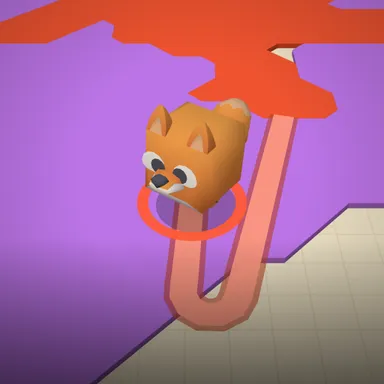
Sunny Isle Land Rush turns territory painting into a two and a half minute race on a sandy island shaped like a peanut, surrounded by turquoise water, palm trees and bobbing boats. Twelve players start with a tiny patch of sand each, and the one who owns the most of the island when the clock hits zero wins the round and the top spot on the podium. Getting knocked out is not the end here: if a rival crosses your trail you lose your land, but you pop back in two seconds later with a fresh patch and the clock keeps ticking, so a bad moment early on can still be turned into a comeback. That makes the round all about pace. Short loops keep you safe and growing, long sweeping loops can win big but leave your trail exposed, and in the last ten seconds everybody gets greedy, which is exactly when the best knockouts happen. The narrow waist of the island is where most battles break out, because every trip from one half to the other passes through it. Keep an eye on the timer, the live leaderboard and the danger pulse, and finish on top of the podium. It also works online: choose Quick Match, create a room or invite friends and up to six real players race across the same island, with CPU painters taking any empty seat.
How to play
Steer with the mouse, the arrow keys or by dragging. Loop out and back to claim sand. If someone cuts your trail you respawn small, so keep going. Own the most of the island when time runs out. Online: Quick Match, a room or a friend invite puts up to six players on the island.
Controls
| Mouse | Steer |
| Arrow keysW A S D | Steer |
| Drag | Steer |
📺 Play on a TV or projector
- Laptop or PC: connect it to the TV or projector with an HDMI cable (or cast the Chrome tab / mirror your screen), then press the fullscreen button.
- Android TV, Google TV or a TV box: open this site in a browser app on the TV (any Chromium-based TV browser works) and pick a game with the remote's arrows and OK.
- Gamepad: pair a Bluetooth controller (Xbox, PlayStation or a generic one) or plug in a USB one. Stick or D-pad moves, Ⓐ/✕ jumps and selects, Start pauses, View/Select switches fullscreen. In point-and-click games the right stick moves a pointer and RT clicks.
- Phone or tablet: mirror or cast your screen to the TV, or open the site in the TV's own browser.
Difficulty: ★★☆☆☆ · Released: 2026-10-08