
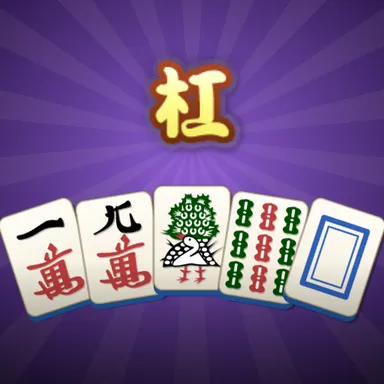
About Official Mahjong: Eight Fan Challenge
Official Mahjong: Eight Fan Challenge follows the competition rules used in Chinese tournaments, where a hand only counts if it is worth at least eight fan. That single rule turns mahjong into a game of planning: you cannot just race to any finished hand, you have to steer toward real patterns. Aim for a Pure Straight from one to nine, a Mixed Triple Chow across the three suits, All Pongs, a Half or Full Flush, Seven Pairs, or chase the 88 fan legends like Big Three Dragons and Thirteen Orphans. Small bonuses such as Concealed Hand, All Simples, Self-Draw and kongs stack on top. Payments follow the tournament style: the player who discards your winning tile pays most, and everyone else pays the base. The deep purple 3D table is made for focus: your waits and the tiles still unseen appear the moment you lift a tile, so you can see when a hand is ready but short of the minimum. Claim buttons for chow, pong, kong and win count down clearly, and the final scoring sheet lists every fan you earned. Sharpen your strategy against strong AI at once, then sign in to quick-match online or host a private room.
How to play
Tap a tile to lift it, tap again to discard. Chow from the left, pong or kong any discard, or Pass (X). A winning hand needs at least 8 fan, so aim for patterns like flushes, straights and all pongs.
Controls
| Click / Tap | Select |
| Enter | Place |
| X | Pass |
📺 Play on a TV or projector
- Laptop or PC: connect it to the TV or projector with an HDMI cable (or cast the Chrome tab / mirror your screen), then press the fullscreen button.
- Android TV, Google TV or a TV box: open this site in a browser app on the TV (any Chromium-based TV browser works) and pick a game with the remote's arrows and OK.
- Gamepad: pair a Bluetooth controller (Xbox, PlayStation or a generic one) or plug in a USB one. Stick or D-pad moves, Ⓐ/✕ jumps and selects, Start pauses, View/Select switches fullscreen. In point-and-click games the right stick moves a pointer and RT clicks.
- Phone or tablet: mirror or cast your screen to the TV, or open the site in the TV's own browser.
Difficulty: ★★★★☆ · Released: 2026-10-07