
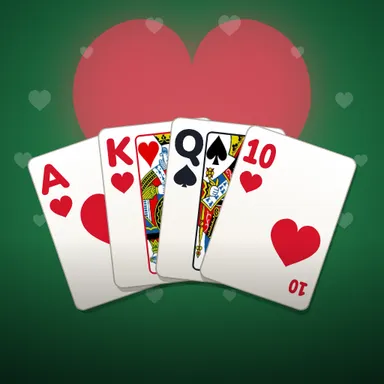
About Hearts: Classic Card Table
Hearts: Classic Card Table is the four-player trick-taking favourite, dealt on a deep green felt with big, crisp cards. The goal is the opposite of most card games: avoid points. Every heart you take costs one point and the Queen of Spades, the Black Lady, costs thirteen, so the player with the lowest score when someone reaches 100 wins. Each round begins with a pass: three cards to the left, then to the right, then across, then a hold round with no passing, so you can dump dangerous high cards and build a void. The holder of the two of clubs leads, everyone must follow suit, hearts cannot be led until one has been thrown, and no points may be played on the first trick. Take every heart and the Queen in one round and you shoot the moon: you score nothing and everyone else takes 26. Pick Easy, Normal or Hard opponents ported from a strong card-counting AI that reads voids, blocks moon shots and passes to empty a suit. Undo a careless play, ask for a hint, or let auto-play finish the hand. Sign in to sit at live four-player tables with quick match, private rooms and points for every finish.
How to play
Pick three cards and press Pass. Follow the suit that was led if you can; otherwise throw any card. Click a card to play it (on phones tap to raise it, tap again or drag up to play). Avoid hearts (1 point) and the Q♠ (13). Lowest score wins. H = hint, U = undo.
Controls
| Click / Tap | Select |
| Enter | Place |
📺 Play on a TV or projector
- Laptop or PC: connect it to the TV or projector with an HDMI cable (or cast the Chrome tab / mirror your screen), then press the fullscreen button.
- Android TV, Google TV or a TV box: open this site in a browser app on the TV (any Chromium-based TV browser works) and pick a game with the remote's arrows and OK.
- Gamepad: pair a Bluetooth controller (Xbox, PlayStation or a generic one) or plug in a USB one. Stick or D-pad moves, Ⓐ/✕ jumps and selects, Start pauses, View/Select switches fullscreen. In point-and-click games the right stick moves a pointer and RT clicks.
- Phone or tablet: mirror or cast your screen to the TV, or open the site in the TV's own browser.
Difficulty: ★★★☆☆ · Released: 2026-10-07