
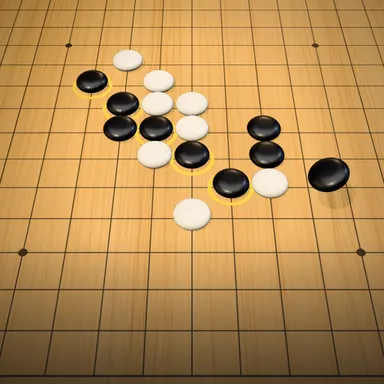
About Gomoku: Five Stones
Gomoku: Five Stones is the timeless five-in-a-row duel played on a real-looking wooden board. Two players take turns placing black and white stones on the intersections of a 15 by 15 grid, and the first to line up five of their own colour in a row, column or diagonal wins. The rules take ten seconds to learn, yet every game turns into a tense race of attack and defence: build open threes, force your rival to answer, and set up a double threat they cannot stop. The board is a thick golden kaya slab with crisp engraved lines and star points, and the glossy slate and shell stones drop into place with a satisfying click and soft shadows. Start playing against the computer instantly and choose Easy, Medium or Hard; the AI looks for fours and forks just like a strong club player. Friendly helpers keep it fun while you learn: unlimited takebacks, a hint button that marks a strong move, and a red warning whenever the AI threatens to finish five. Your win record is kept for every level. Sign in to challenge real people with quick match or a private room code, with turn clocks and rematches.
How to play
Tap or click an empty intersection to place your stone (on phones, tap twice to confirm). Get five of your colour in an unbroken line — across, down or diagonally — before the AI does. Use Undo (U) to take back a move, Hint (H) to see a suggestion, and New game (N) to change difficulty or play second.
Controls
| Click / Tap | Place |
📺 Play on a TV or projector
- Laptop or PC: connect it to the TV or projector with an HDMI cable (or cast the Chrome tab / mirror your screen), then press the fullscreen button.
- Android TV, Google TV or a TV box: open this site in a browser app on the TV (any Chromium-based TV browser works) and pick a game with the remote's arrows and OK.
- Gamepad: pair a Bluetooth controller (Xbox, PlayStation or a generic one) or plug in a USB one. Stick or D-pad moves, Ⓐ/✕ jumps and selects, Start pauses, View/Select switches fullscreen. In point-and-click games the right stick moves a pointer and RT clicks.
- Phone or tablet: mirror or cast your screen to the TV, or open the site in the TV's own browser.
Difficulty: ★★☆☆☆ · Released: 2026-10-07