
About Red Dragon Mahjong: Wild Tiles
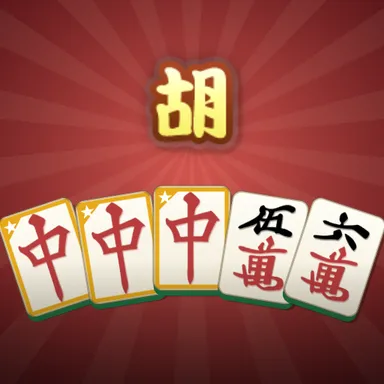
Red Dragon Mahjong: Wild Tiles is the fast, friendly way into Chinese mahjong, played on a full 3D automatic table. Four players draw and discard until someone completes a winning hand of four sets and a pair, and in this house rule every Red Dragon tile is wild: it can stand in for any tile you are missing, so hands come together quickly and big finishes happen often. Pong a tile somebody throws away, declare a kong for an extra draw, or win off a discard, but self-drawing your winning tile doubles the payout, and seven pairs or a full flush multiply it again. The table is built for comfort: real-looking ivory tiles with crisp engraved faces, your hand standing large at the bottom of the screen, every discard laid in neat rows and a glowing arrow on the latest one. Tap a tile to lift it and see which tiles you would win on, then tap again to discard. Big claim buttons pop up with a countdown whenever you can pong, kong or win, and a voice calls every tile. Practise against clever AI players right away, no account needed, then sign in to quick-match three opponents online or open a private room for friends, with smart bots filling empty seats.
How to play
Tap a tile to lift it, tap again (or swipe up) to discard. Red Dragons are wild. When Pong, Kong or Win buttons appear, tap one or Pass (X). Complete four sets and a pair to win; self-draw pays double.
Controls
| Click / Tap | Select |
| Enter | Place |
| X | Pass |
📺 Play on a TV or projector
- Laptop or PC: connect it to the TV or projector with an HDMI cable (or cast the Chrome tab / mirror your screen), then press the fullscreen button.
- Android TV, Google TV or a TV box: open this site in a browser app on the TV (any Chromium-based TV browser works) and pick a game with the remote's arrows and OK.
- Gamepad: pair a Bluetooth controller (Xbox, PlayStation or a generic one) or plug in a USB one. Stick or D-pad moves, Ⓐ/✕ jumps and selects, Start pauses, View/Select switches fullscreen. In point-and-click games the right stick moves a pointer and RT clicks.
- Phone or tablet: mirror or cast your screen to the TV, or open the site in the TV's own browser.
Difficulty: ★★☆☆☆ · Released: 2026-10-07