
About Chess 3D: Walnut Classic
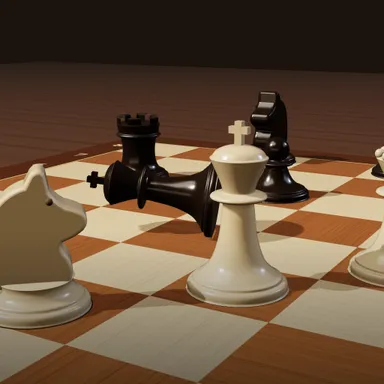
Chess 3D: Walnut Classic sets a polished hardwood board in front of you, lit like a study at night, with hand-turned Staunton pieces in boxwood and ebony casting soft shadows across the squares. Every rule of international chess is here: castling on either side, en passant, promotion to any piece, check and checkmate, stalemate, the fifty-move rule, threefold repetition and insufficient material. Tap a piece and its legal squares light up, or simply drag it where you want it; knights hop, rooks slide in beside the king when you castle, and captured pieces tumble off the board. Pick an opponent before each game: an Easy computer that plays loosely and leaves chances, a Medium one that punishes hanging pieces, or a Hard engine that searches five moves deep and loves a tactic. Take back a move when you blunder, ask for a hint arrow when you are stuck, offer a draw or resign with grace. The move list records the whole game in standard notation, captured material shows who is ahead, and your record against each level is saved. When you are ready for people, sign in and challenge a live opponent from the panel below the board.
How to play
Choose a difficulty and a colour, then press Play. Tap one of your pieces and tap a highlighted square, or drag the piece there. Win by checkmating the enemy king. Undo (U) takes back your last move, Hint (H) shows a suggested move, F flips the board.
Controls
| Click / Tap | Select |
| Drag | Move |
| F | Rotate |
📺 Play on a TV or projector
- Laptop or PC: connect it to the TV or projector with an HDMI cable (or cast the Chrome tab / mirror your screen), then press the fullscreen button.
- Android TV, Google TV or a TV box: open this site in a browser app on the TV (any Chromium-based TV browser works) and pick a game with the remote's arrows and OK.
- Gamepad: pair a Bluetooth controller (Xbox, PlayStation or a generic one) or plug in a USB one. Stick or D-pad moves, Ⓐ/✕ jumps and selects, Start pauses, View/Select switches fullscreen. In point-and-click games the right stick moves a pointer and RT clicks.
- Phone or tablet: mirror or cast your screen to the TV, or open the site in the TV's own browser.
Difficulty: ★★★☆☆ · Released: 2026-10-07