
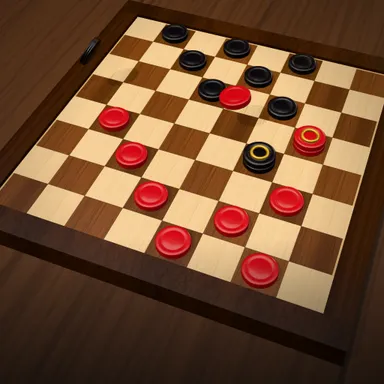
About Checkers: Classic Draughts
Checkers: Classic Draughts brings the English rules of the old parlour favourite to a handsome inlaid walnut board. Each side starts with twelve men on the dark squares. Men step diagonally forward one square, and you capture by jumping over an enemy piece into the empty square beyond. Captures are compulsory, and if your jumping piece can keep capturing it must carry on in the same turn, so one careless move can lose three men at once. Reach the far row and your man is crowned a king that moves and jumps both forwards and backwards. You win when your opponent has no pieces left or no legal move. The pieces are lathe-turned with ridged edges and a glossy lacquer; tap one and it lifts while its landing squares glow, green for steps and orange for jumps. Jumps arc over their victim, captured men pop off the board, and new kings receive a second piece and a golden crown. Play the computer immediately on Easy, Medium or Hard, from a forgiving opponent to one that searches seven moves deep. Undo any mistake, ask for a hint, and draws are called after forty moves without a capture or a threefold repetition.
How to play
Tap one of your pieces, then a glowing square. Men move diagonally forward; jump an enemy piece to capture it. Captures are compulsory and multi-jumps continue in the same turn. Reach the far row to crown a king. Undo (U), Hint (H), New game (N).
Controls
| Click / Tap | Select |
📺 Play on a TV or projector
- Laptop or PC: connect it to the TV or projector with an HDMI cable (or cast the Chrome tab / mirror your screen), then press the fullscreen button.
- Android TV, Google TV or a TV box: open this site in a browser app on the TV (any Chromium-based TV browser works) and pick a game with the remote's arrows and OK.
- Gamepad: pair a Bluetooth controller (Xbox, PlayStation or a generic one) or plug in a USB one. Stick or D-pad moves, Ⓐ/✕ jumps and selects, Start pauses, View/Select switches fullscreen. In point-and-click games the right stick moves a pointer and RT clicks.
- Phone or tablet: mirror or cast your screen to the TV, or open the site in the TV's own browser.
Difficulty: ★★☆☆☆ · Released: 2026-10-07