
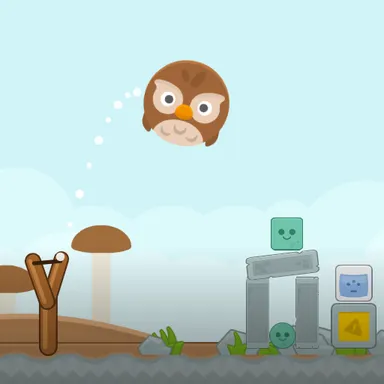
About Owl Boom Barrage
Owl Boom Barrage is an explosive slingshot game set among giant mushrooms, where the aliens hide behind stone walls stacked next to crates of TNT. Your flyers are brown owls carrying a fuse: tap while an owl is in the air to make it explode on the spot, or let it crash into a fort and it will blow up a moment later. The blast throws blocks in every direction, cracks stone, flattens huts and sets off any TNT crate it reaches, which can trigger a chain of explosions across the whole level. Plain owls without a fuse appear in some levels, so the best plans use them to open a gap and save the bomb for the heart of the fort. Stone and metal make these structures much tougher than wood, and suited aliens can survive a weak hit, so aim for the TNT and the supports holding the heavy roofs. Eighteen forts are proven clearable with the owls provided, from a single hut between two crates to tall stone towers guarded by walls. Enjoy big flashes, flying debris, screen shake and roaring explosions, and finish with owls to spare for three stars and a bonus for every unused flyer.
How to play
Drag back and release to launch. Tap while an owl flies to explode it, and hit the TNT crates for chain reactions. Clear every alien with owls to spare.
Controls
| Drag | Aim and shoot |
| Click / TapSpace | Special move |
📺 Play on a TV or projector
- Laptop or PC: connect it to the TV or projector with an HDMI cable (or cast the Chrome tab / mirror your screen), then press the fullscreen button.
- Android TV, Google TV or a TV box: open this site in a browser app on the TV (any Chromium-based TV browser works) and pick a game with the remote's arrows and OK.
- Gamepad: pair a Bluetooth controller (Xbox, PlayStation or a generic one) or plug in a USB one. Stick or D-pad moves, Ⓐ/✕ jumps and selects, Start pauses, View/Select switches fullscreen. In point-and-click games the right stick moves a pointer and RT clicks.
- Phone or tablet: mirror or cast your screen to the TV, or open the site in the TV's own browser.
Difficulty: ★★★☆☆ · Released: 2026-10-08