
About Parrot Dash Towers
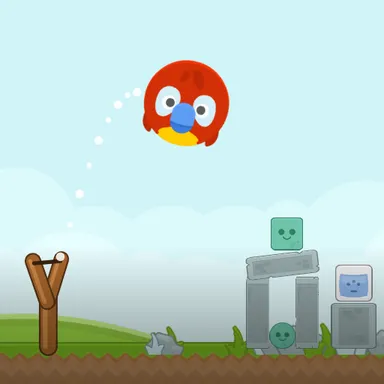
Parrot Dash Towers is the expert slingshot challenge, set on breezy green hills where the aliens have built tall towers of stone with metal roofs. Your main flyers are bright parrots with a speed burst: tap while a parrot is in the air and it shoots forward in a straight line at double speed, punching through stone that would stop any normal throw. Some levels add a heavy elephant flyer, a slow but massive ball that shoves whole walls over when it lands at the base. To make things harder this pack has no aim preview at all, so you read the slingshot pull and remember your previous shot, which leaves a dotted trail on screen. Several levels also blow a steady wind across the field, shown by the arrow under the score, bending every flight left or right. Eighteen forts grow from a two-floor tower to triple-height stone keeps protected by walls, and every one is verified clearable with the flyers you get. Learn the angles, use each dash at the right moment, topple the towers onto the aliens below and finish with flyers to spare for three stars and big bonus points.
How to play
Drag back and release to launch; there is no aim preview. Tap while a parrot flies to dash forward, watch the wind arrow and topple every tower.
Controls
| Drag | Aim and shoot |
| Click / TapSpace | Special move |
📺 Play on a TV or projector
- Laptop or PC: connect it to the TV or projector with an HDMI cable (or cast the Chrome tab / mirror your screen), then press the fullscreen button.
- Android TV, Google TV or a TV box: open this site in a browser app on the TV (any Chromium-based TV browser works) and pick a game with the remote's arrows and OK.
- Gamepad: pair a Bluetooth controller (Xbox, PlayStation or a generic one) or plug in a USB one. Stick or D-pad moves, Ⓐ/✕ jumps and selects, Start pauses, View/Select switches fullscreen. In point-and-click games the right stick moves a pointer and RT clicks.
- Phone or tablet: mirror or cast your screen to the TV, or open the site in the TV's own browser.
Difficulty: ★★★★☆ · Released: 2026-10-08