
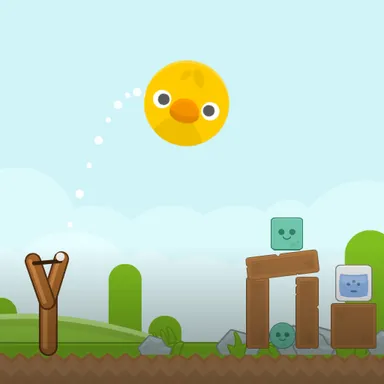
About Fort Fling
Fort Fling is a classic slingshot physics game with a sunny meadow, a sturdy wooden slingshot and a flock of brave yellow chicks. Cheeky green aliens have built little forts of wood, glass and stone, and it is your job to knock every one of them over. Drag back on the slingshot to aim, watch the dotted arc show exactly where your chick will fly, and let go to launch. Blocks crack, splinter and shatter when they are hit hard enough, glass breaks with a single solid hit, wood takes a few knocks and stone barely notices anything but a collapsing tower. Aliens pop when a chick smacks into them or when a falling block lands on their heads, so the smartest shots often target the weak column holding everything up. The first six forts are the original hand-built levels, and twelve more add tall towers, box walls, pyramids, platforms with rolling stone balls and finally tough suited aliens under metal roofs. Every fort is proven clearable with the birds you get. Clear a level with two or more chicks left for three stars, earn bonus points for every bird you did not need, and replay any fort to beat your best score.
How to play
Drag back on the slingshot to aim and release to launch. Knock down the forts and pop every alien; finish with birds to spare for three stars.
Controls
| Drag | Aim and shoot |
| Click / TapSpace | Special move |
📺 Play on a TV or projector
- Laptop or PC: connect it to the TV or projector with an HDMI cable (or cast the Chrome tab / mirror your screen), then press the fullscreen button.
- Android TV, Google TV or a TV box: open this site in a browser app on the TV (any Chromium-based TV browser works) and pick a game with the remote's arrows and OK.
- Gamepad: pair a Bluetooth controller (Xbox, PlayStation or a generic one) or plug in a USB one. Stick or D-pad moves, Ⓐ/✕ jumps and selects, Start pauses, View/Select switches fullscreen. In point-and-click games the right stick moves a pointer and RT clicks.
- Phone or tablet: mirror or cast your screen to the TV, or open the site in the TV's own browser.
Difficulty: ★★☆☆☆ · Released: 2026-10-08