
About Belly Bump Basho
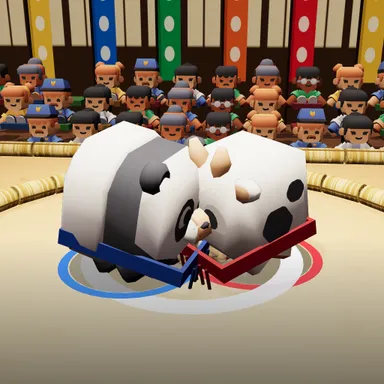
Belly Bump Basho turns the ancient sport of sumo into a cuddly tournament for chunky cube animals. You are a determined little panda in a navy belt, standing on a real clay ring ringed with straw bales, in a lantern-lit hall packed with cheering fans on cushions. Push your rival past the bales to win the round; win enough rounds to take the bout and climb to the next opponent. Twelve rivals wait in the ladder and every one fights differently: the sleepy pig wanders in circles, the bunny reacts late, the cow is heavy and hard to move, the monkey loves surprise charges, the fox side-steps at the edge, the polar bear reads your rush and meets it head on, and the elephant champion is so heavy that only a perfectly timed charge will budge him. The physics are real momentum: a bigger run-up hits harder, a heavier body shoves further, and a well-timed charge can turn a desperate defence into a ring-out. Win without dropping a round for three stars, then try to clear the whole tournament and become the champion of the hall.
How to play
Push with WASD or the arrow keys and press Space to charge. With a mouse or finger, hold down to push toward the pointer and flick to charge. On phones use the stick and the lightning button. Shove your rival out of the straw ring to score.
Controls
| W A S D | Move |
| Space | Dash |
| Drag | Move |
📺 Play on a TV or projector
- Laptop or PC: connect it to the TV or projector with an HDMI cable (or cast the Chrome tab / mirror your screen), then press the fullscreen button.
- Android TV, Google TV or a TV box: open this site in a browser app on the TV (any Chromium-based TV browser works) and pick a game with the remote's arrows and OK.
- Gamepad: pair a Bluetooth controller (Xbox, PlayStation or a generic one) or plug in a USB one. Stick or D-pad moves, Ⓐ/✕ jumps and selects, Start pauses, View/Select switches fullscreen. In point-and-click games the right stick moves a pointer and RT clicks.
- Phone or tablet: mirror or cast your screen to the TV, or open the site in the TV's own browser.
Difficulty: ★★☆☆☆ · Released: 2026-10-08