
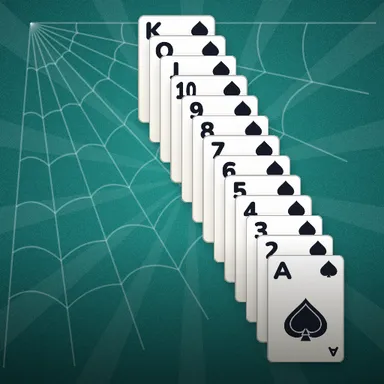
About Spider Solitaire Web
Spider Solitaire Web brings the two-deck patience classic to your browser with the smoothness of a premium card app. One hundred and four cards fill ten columns on teal felt, and your goal is to sort them into eight complete runs from King down to Ace. You may build on any card one rank higher, whatever its suit, but only a run of a single suit can be lifted and moved as a group, so the real puzzle is untangling mixed stacks into clean sequences. When a full King-to-Ace run of one suit forms, it sweeps off the table on its own with a satisfying flourish. Out of moves? Tap the stock to deal a fresh card onto every column, as long as none of them is empty. Start with one suit to learn the flow, step up to two suits for a real challenge, or face all four suits for the expert game. Every deal in the one-suit and two-suit modes has been proven winnable by a search algorithm. Drag a run anywhere or tap it to send it to the best spot, ask for a hint, undo freely, and try the daily deal shared by every player. Your progress saves automatically, and a classic bouncing-card cascade celebrates every win.
How to play
Build down on any card one rank higher; only same-suit runs move as a group. Any card can go into an empty column. A full King-to-Ace run of one suit clears itself. Tap the stock (Space) to deal a card to every column. Drag or tap to move; Hint (H), Undo (Z).
Controls
| Drag | Drag |
| Click / Tap | Tap |
| Space | Draw |
📺 Play on a TV or projector
- Laptop or PC: connect it to the TV or projector with an HDMI cable (or cast the Chrome tab / mirror your screen), then press the fullscreen button.
- Android TV, Google TV or a TV box: open this site in a browser app on the TV (any Chromium-based TV browser works) and pick a game with the remote's arrows and OK.
- Gamepad: pair a Bluetooth controller (Xbox, PlayStation or a generic one) or plug in a USB one. Stick or D-pad moves, Ⓐ/✕ jumps and selects, Start pauses, View/Select switches fullscreen. In point-and-click games the right stick moves a pointer and RT clicks.
- Phone or tablet: mirror or cast your screen to the TV, or open the site in the TV's own browser.
Difficulty: ★★★☆☆ · Released: 2026-10-07