
About Rush Hour Overtake
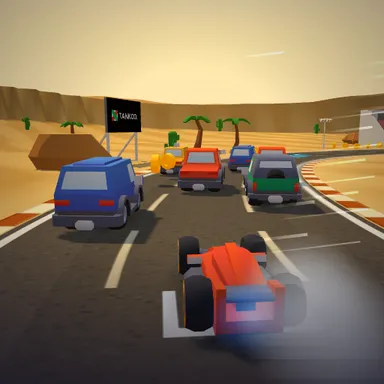
Rush Hour Overtake drops a pack of street-legal sports cars onto open public roads in the middle of the evening commute. Sedans, taxis, delivery vans, police cruisers and lumbering trucks crawl along every lap, and seven rival drivers are threading the same gaps you are. Read the traffic two cars ahead, pick the lane that opens up and squeeze through before it closes, because tagging a slow bumper scrubs your speed straight down to theirs. Tuck in behind a rival to catch the slipstream, then pull out and fly past on the straight. Nitro pads are everywhere on these streets, so a clean run strings boost after boost while a sloppy one ends with a face full of cones or a sideways slide across a fresh oil slick. Fifteen races climb from a quiet seaside road with light traffic to a gridlocked mountain pass at peak hour, through a desert highway, a red canyon, an icy glacier loop and a neon downtown after dark. Finish on the podium to unlock the next run and collect every coin you can carry.
How to play
Hold ↑ to drive, ← → to change lanes and ↓ to brake. Weave through the slow traffic, ride the slipstream of rivals and hit the blue nitro pads. Finish top three to unlock the next race. On phones the car accelerates by itself.
Controls
| ↑ | Accelerate |
| Arrow keys | Steer |
| Space | Drift |
| ↓ | Brake / reverse |
📺 Play on a TV or projector
- Laptop or PC: connect it to the TV or projector with an HDMI cable (or cast the Chrome tab / mirror your screen), then press the fullscreen button.
- Android TV, Google TV or a TV box: open this site in a browser app on the TV (any Chromium-based TV browser works) and pick a game with the remote's arrows and OK.
- Gamepad: pair a Bluetooth controller (Xbox, PlayStation or a generic one) or plug in a USB one. Stick or D-pad moves, Ⓐ/✕ jumps and selects, Start pauses, View/Select switches fullscreen. In point-and-click games the right stick moves a pointer and RT clicks.
- Phone or tablet: mirror or cast your screen to the TV, or open the site in the TV's own browser.
Difficulty: ★★★☆☆ · Released: 2026-10-07