
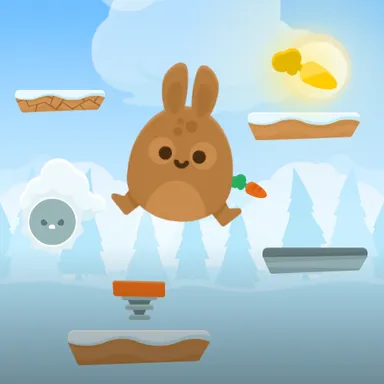
About Frosty Hop Climb
Frosty Hop Climb is the slippery, demanding take on endless bunny bouncing. The climb starts in a snowy pine forest and every ledge is packed ice, so the bunny no longer stops the moment you let go of a direction. Steering builds up momentum: tap left and you start to slide, hold it and you pick up speed, and to stop over a narrow ledge you have to counter-steer early, just like skating. It takes a few runs to feel, and then it becomes wonderfully smooth. On top of that, this climb uses the hard tuning of the original game, with wider gaps between ledges, more crumbling ledges and faster sliding stone platforms from the start. Spiky snowballs and propeller critters drift between the ledges higher up; stomp them from above or throw a carrot to clear the path, because touching one from the side ends the run. Wrapping around the screen edge still works, and carrying your slide through the wrap is often the fastest line. Springs and jetpacks are a little rarer here, so each one feels like a gift. Your best height is marked with a dashed ribbon and the score adds a bonus for carrots and stomped critters. Master the glide and the frozen sky opens up all the way to the stars.
How to play
← → (or the on-screen pads / tilt) push the bunny sideways on ice: it keeps sliding, so counter-steer to stop. Space or click throws a carrot; stomp critters from above.
Controls
| ←→ | Steer |
| Space | Shoot |
📺 Play on a TV or projector
- Laptop or PC: connect it to the TV or projector with an HDMI cable (or cast the Chrome tab / mirror your screen), then press the fullscreen button.
- Android TV, Google TV or a TV box: open this site in a browser app on the TV (any Chromium-based TV browser works) and pick a game with the remote's arrows and OK.
- Gamepad: pair a Bluetooth controller (Xbox, PlayStation or a generic one) or plug in a USB one. Stick or D-pad moves, Ⓐ/✕ jumps and selects, Start pauses, View/Select switches fullscreen. In point-and-click games the right stick moves a pointer and RT clicks.
- Phone or tablet: mirror or cast your screen to the TV, or open the site in the TV's own browser.
Difficulty: ★★★★☆ · Released: 2026-10-08