
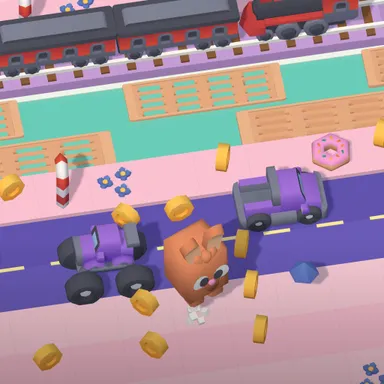
About Bunny Coin Scramble
Bunny Coin Scramble is a ninety-second treasure hunt through a candy-coloured wonderland. Instead of chasing distance, your goal is simple and greedy: grab as many coins as you can before the clock runs out. The pastel meadows are scattered with gold coins, and sparkling blue gems are worth five coins each, so it often pays to zig-zag sideways instead of rushing straight ahead. Of course the sweets are not safe. Toy monster trucks, speedsters and vintage racers zoom along purple candy roads, toy trains rattle over the tracks, and minty rivers must be crossed on drifting waffle rafts or still cookie stepping stones. Giant cupcakes, lollipops, candy canes and presents block some tiles and turn every row into a tiny route-planning puzzle. A crash does not end the round: your bunny pops back onto the nearest safe meadow, but you lose five precious seconds, so careful hops beat reckless ones. There is no eagle and no pushing camera here, which makes it the friendliest way to play and a great pick for younger players. Learn the traffic rhythm, plan coin routes and set a sweet new record.
How to play
Tap, click or press Space / ↑ to hop; swipe or use ← → ↓ to move sideways or back. Collect coins (gems = 5) in 90 seconds. A crash costs 5 seconds instead of ending the round.
Controls
| Click / TapSpace | Jump |
| Arrow keysW A S D | Move |
| Drag | Swipe |
📺 Play on a TV or projector
- Laptop or PC: connect it to the TV or projector with an HDMI cable (or cast the Chrome tab / mirror your screen), then press the fullscreen button.
- Android TV, Google TV or a TV box: open this site in a browser app on the TV (any Chromium-based TV browser works) and pick a game with the remote's arrows and OK.
- Gamepad: pair a Bluetooth controller (Xbox, PlayStation or a generic one) or plug in a USB one. Stick or D-pad moves, Ⓐ/✕ jumps and selects, Start pauses, View/Select switches fullscreen. In point-and-click games the right stick moves a pointer and RT clicks.
- Phone or tablet: mirror or cast your screen to the TV, or open the site in the TV's own browser.
Difficulty: ★★☆☆☆ · Released: 2026-10-06