
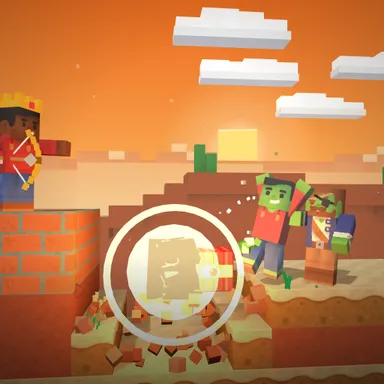
About Zombie Wall Siege
Zombie Wall Siege swaps puzzles for a pure survival defence. Your blocky archer stands on a brick tower at the edge of a sunburnt desert, and a little wall of hearts is all that keeps the undead out. Wave after wave of zombies shuffle in along three lanes of the canyon, dropping from the sandstone shelves, and every one that reaches the wall costs you a heart. Lose all four and the siege is over. Your quiver is bottomless, so this is all about timing, leading your target and keeping calm: zombies walk, so you have to shoot where they will be rather than where they are. The aiming dots only show the first part of the arc, which keeps you honest. From the third wave some zombies wear iron helmets and need two hits, the waves grow longer and faster, and every fifth wave a giant boss lumbers in who can take a whole stack of arrows. Chain kills for combo points, shoot the coins you earn between waves, and spend them in the Armory on twin bows, flame tips and piercing arrows that skewer a whole line of zombies. How many waves can you survive?
How to play
Drag back from the hero to aim and release to shoot, with unlimited arrows. Lead moving zombies and stop them before they reach the wall. Each zombie that gets through costs one heart. Survive as many waves as you can.
Controls
| Drag | Aim and shoot |
| ↑↓ | Aim |
| Space | Shoot |
📺 Play on a TV or projector
- Laptop or PC: connect it to the TV or projector with an HDMI cable (or cast the Chrome tab / mirror your screen), then press the fullscreen button.
- Android TV, Google TV or a TV box: open this site in a browser app on the TV (any Chromium-based TV browser works) and pick a game with the remote's arrows and OK.
- Gamepad: pair a Bluetooth controller (Xbox, PlayStation or a generic one) or plug in a USB one. Stick or D-pad moves, Ⓐ/✕ jumps and selects, Start pauses, View/Select switches fullscreen. In point-and-click games the right stick moves a pointer and RT clicks.
- Phone or tablet: mirror or cast your screen to the TV, or open the site in the TV's own browser.
Difficulty: ★★★☆☆ · Released: 2026-10-08