
About Letter Trails
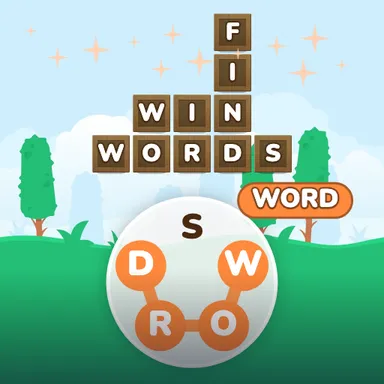
Letter Trails is a relaxing word journey through meadows, forests, autumn groves, deserts and castle valleys. Each puzzle gives you a ring of letters and an empty crossword. Swipe from letter to letter to spell a word, lift your finger, and if the word belongs in the grid it flies into place on warm wooden tiles. Words cross each other, so every answer you find reveals letters of its neighbours and nudges you toward the next one. The trail starts gently with four-letter wheels and three or four short words, then grows to seven-letter wheels and grids packed with eleven answers by level one hundred and twenty. Past that, an expert set of fifty-six more puzzles opens with six-, seven- and eight-letter wheels and grids of up to thirteen interlocking answers. Spot a real word that is not in the grid and it drops into the bonus jar; every five bonus words earn coins. Coins buy hints that reveal a single letter when you are stuck, and the shuffle button spins the wheel for a fresh look. Solve a puzzle without hints for three stars. Every word comes from a carefully filtered list of everyday English, and every puzzle has been checked by machine so each answer can really be spelled from the wheel. The menus are fully translated, while the puzzles themselves use English words.
How to play
Swipe across the letters on the wheel to spell a word, then release. Fill the whole crossword. Extra real words go into the bonus jar. Tap the shuffle button to spin the letters and the bulb to buy a hint. Keyboard: type letters, Enter to submit, Backspace to undo.
Controls
| Drag | Move |
| Click / Tap | Select |
| Space | Move |
📺 Play on a TV or projector
- Laptop or PC: connect it to the TV or projector with an HDMI cable (or cast the Chrome tab / mirror your screen), then press the fullscreen button.
- Android TV, Google TV or a TV box: open this site in a browser app on the TV (any Chromium-based TV browser works) and pick a game with the remote's arrows and OK.
- Gamepad: pair a Bluetooth controller (Xbox, PlayStation or a generic one) or plug in a USB one. Stick or D-pad moves, Ⓐ/✕ jumps and selects, Start pauses, View/Select switches fullscreen. In point-and-click games the right stick moves a pointer and RT clicks.
- Phone or tablet: mirror or cast your screen to the TV, or open the site in the TV's own browser.
Difficulty: ★★☆☆☆ · Released: 2026-10-08