
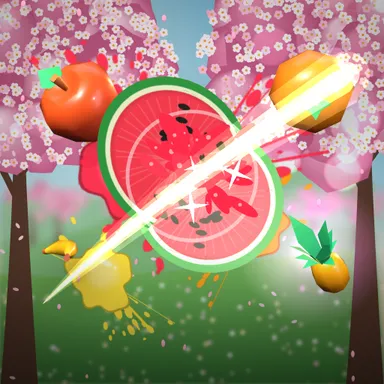
About Orchard Zen Slice
Orchard Zen Slice is the relaxed, bomb-free way to enjoy fruit slicing, set in a sunny orchard full of blossom. There is nothing here that can hurt you: no bombs ever appear, and fruit that falls off the screen is simply gone, with no lives to lose. You get ninety calm seconds to slice as much as you like, and the waves follow the easy tuning of the original game, arriving at a gentle pace with only a few pieces at a time at first. That does not mean there is no skill to it. The score rewards patience and clean technique: bigger fruit is worth more points, and cutting several pieces in one continuous swipe earns a combo bonus that grows with every extra fruit, so the best players wait for the arcs to cross and then take the whole bunch in a single graceful stroke. Frosty fruit appears a little more often than usual and slows time right down, giving you a perfect moment to line up a long combo, and rare rainbow fruit is worth thirty points. Every slice splits the fruit in two along your cut and splashes juice across the leafy backdrop. It is ideal for younger players, for unwinding after a busy day, or for practising combos without pressure.
How to play
Drag your finger or mouse across fruit to slice it. There are no bombs and no lives — just slice as much as you can in 90 seconds and chain cuts in one swipe for combos.
Controls
| Drag | Swipe |
📺 Play on a TV or projector
- Laptop or PC: connect it to the TV or projector with an HDMI cable (or cast the Chrome tab / mirror your screen), then press the fullscreen button.
- Android TV, Google TV or a TV box: open this site in a browser app on the TV (any Chromium-based TV browser works) and pick a game with the remote's arrows and OK.
- Gamepad: pair a Bluetooth controller (Xbox, PlayStation or a generic one) or plug in a USB one. Stick or D-pad moves, Ⓐ/✕ jumps and selects, Start pauses, View/Select switches fullscreen. In point-and-click games the right stick moves a pointer and RT clicks.
- Phone or tablet: mirror or cast your screen to the TV, or open the site in the TV's own browser.
Difficulty: ★☆☆☆☆ · Released: 2026-10-08