
About Mystery Potion Pour
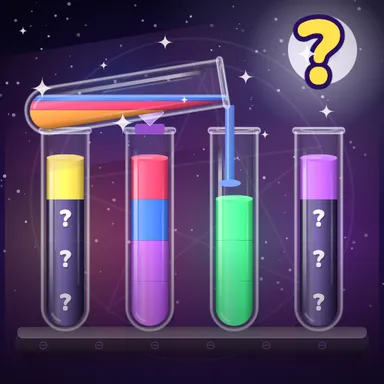
Mystery Potion Pour hides most of the puzzle from you. In a moonlit alchemist's study, a row of glowing vials rests on a carved stone shelf, but only the topmost layer of each potion shows its true colour. Everything beneath is a swirl of grey smoke marked with a question mark. Pour a potion away and the layer underneath reveals itself in a puff of sparkles, so every move is also a discovery. The usual rules apply: a potion may only be poured onto the same colour or into an empty vial, and each vial holds four doses. Your job is to read the clues, keep a free vial in reserve and slowly bring order to the cauldron until every vial glows with one pure colour. Sixty levels grow from three colours to eleven, each one verified as solvable before it ships, and star targets are more forgiving than usual because you cannot see the whole board. Three free undos per level let you take back a risky pour, and one extra vial can be summoned when the shelf locks up. A moody, magical twist on colour sorting with a soft glow and gentle bubbling sounds, saved automatically as you go.
How to play
Tap a vial to pick it up, then tap another to pour. Only the top layer is visible; layers marked ? are revealed when they reach the top. Pour onto the same colour or into an empty vial until each vial holds one colour. Undo (Z), restart (R), +1 vial (T).
Controls
| Click / Tap | Select |
| Arrow keysSpace | Move |
📺 Play on a TV or projector
- Laptop or PC: connect it to the TV or projector with an HDMI cable (or cast the Chrome tab / mirror your screen), then press the fullscreen button.
- Android TV, Google TV or a TV box: open this site in a browser app on the TV (any Chromium-based TV browser works) and pick a game with the remote's arrows and OK.
- Gamepad: pair a Bluetooth controller (Xbox, PlayStation or a generic one) or plug in a USB one. Stick or D-pad moves, Ⓐ/✕ jumps and selects, Start pauses, View/Select switches fullscreen. In point-and-click games the right stick moves a pointer and RT clicks.
- Phone or tablet: mirror or cast your screen to the TV, or open the site in the TV's own browser.
Difficulty: ★★★☆☆ · Released: 2026-10-07