
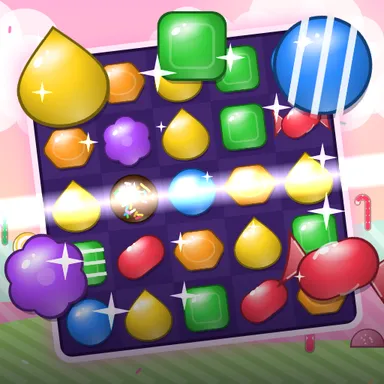
About Sugar Swap Valley
Sugar Swap Valley is a sweet-tooth adventure across two hundred and fifty-two handcrafted puzzle boards, with bonus packs that lean on crates and ice, on cherries and jelly, and on jelly and chocolate. Swap two neighbouring candies to line up three of a kind and watch them melt away, while new treats tumble in from the top and set off chain reactions. Line up four and you get a striped candy that blasts a whole row or column; shape an L or a T for a wrapped candy that explodes twice; line up five for a sprinkle ball that wipes every candy of one colour off the board. Combine two specials for even bigger fireworks. Each level hands you a goal and a fixed number of moves: collect a target colour, clear the pink jelly hiding under the pieces, smash wooden crates, crack frozen candies, stop greedy chocolate from spreading, or guide cherries all the way to the bottom. Finish with moves to spare and every leftover move turns into a striped candy for a roaring bonus blast. Earn up to three stars per level, unlock new worlds on the winding candy map and use the hammer, free swap and stripe brush boosters when you are stuck. Hints appear if you pause for a while, so nobody is ever lost.
How to play
Drag a candy onto a neighbour (or tap one, then the other) to swap them. Make lines of 3 or more of the same colour. Reach the level goal before you run out of moves. Arrow keys move the cursor, Space picks a candy.
Controls
| Drag | Move |
| Click / Tap | Select |
| Arrow keysSpace | Move |
📺 Play on a TV or projector
- Laptop or PC: connect it to the TV or projector with an HDMI cable (or cast the Chrome tab / mirror your screen), then press the fullscreen button.
- Android TV, Google TV or a TV box: open this site in a browser app on the TV (any Chromium-based TV browser works) and pick a game with the remote's arrows and OK.
- Gamepad: pair a Bluetooth controller (Xbox, PlayStation or a generic one) or plug in a USB one. Stick or D-pad moves, Ⓐ/✕ jumps and selects, Start pauses, View/Select switches fullscreen. In point-and-click games the right stick moves a pointer and RT clicks.
- Phone or tablet: mirror or cast your screen to the TV, or open the site in the TV's own browser.
Difficulty: ★★☆☆☆ · Released: 2026-10-08